

자동 업그레이드
1년 후 갱신 비용: $ 33 .00

마스크 기능을 사용하면 편집이 적용될 영역을 제어할 수 있으므로, 사진 전체에 영향을 주지 않고 특정 부분만 조정할 수 있습니다.
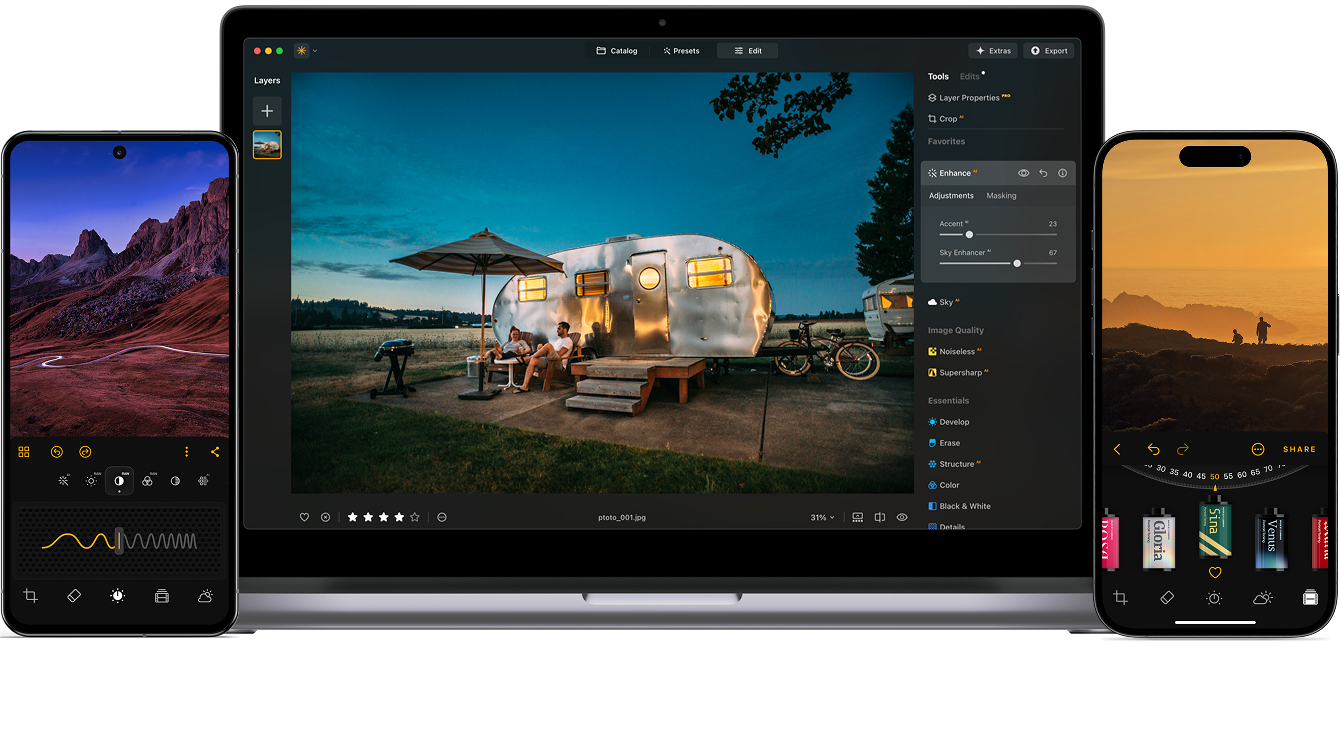
마스크 AI는 이미지의 특정 영역을 정밀하게 제어할 수 있게 해주어, 편집 속도를 높이고 다양한 워크플로에서 더욱 깔끔하고 전문적인 결과물을 얻을 수 있도록 도와줍니다.
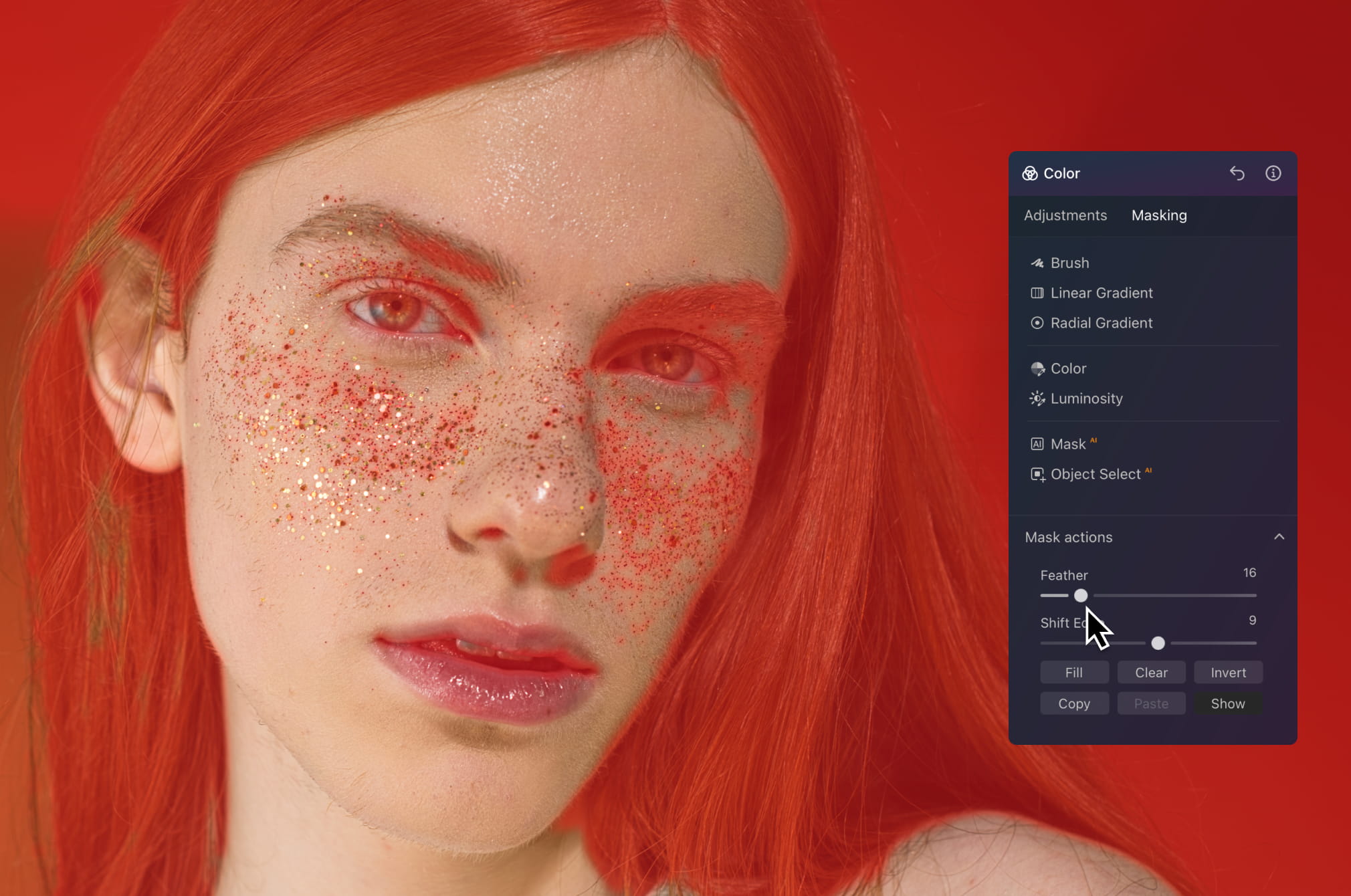
이미지의 다른 부분에는 영향을 주지 않고 피부, 머리카락 또는 배경을 직접 보정할 수 있습니다. 모든 요소를 자연스럽고 섬세하게 유지하면서 피부와 조명 보정 및 톤 조정이 가능합니다. 거친 경계선이나 과도하게 보정된 느낌은 전혀 없습니다.
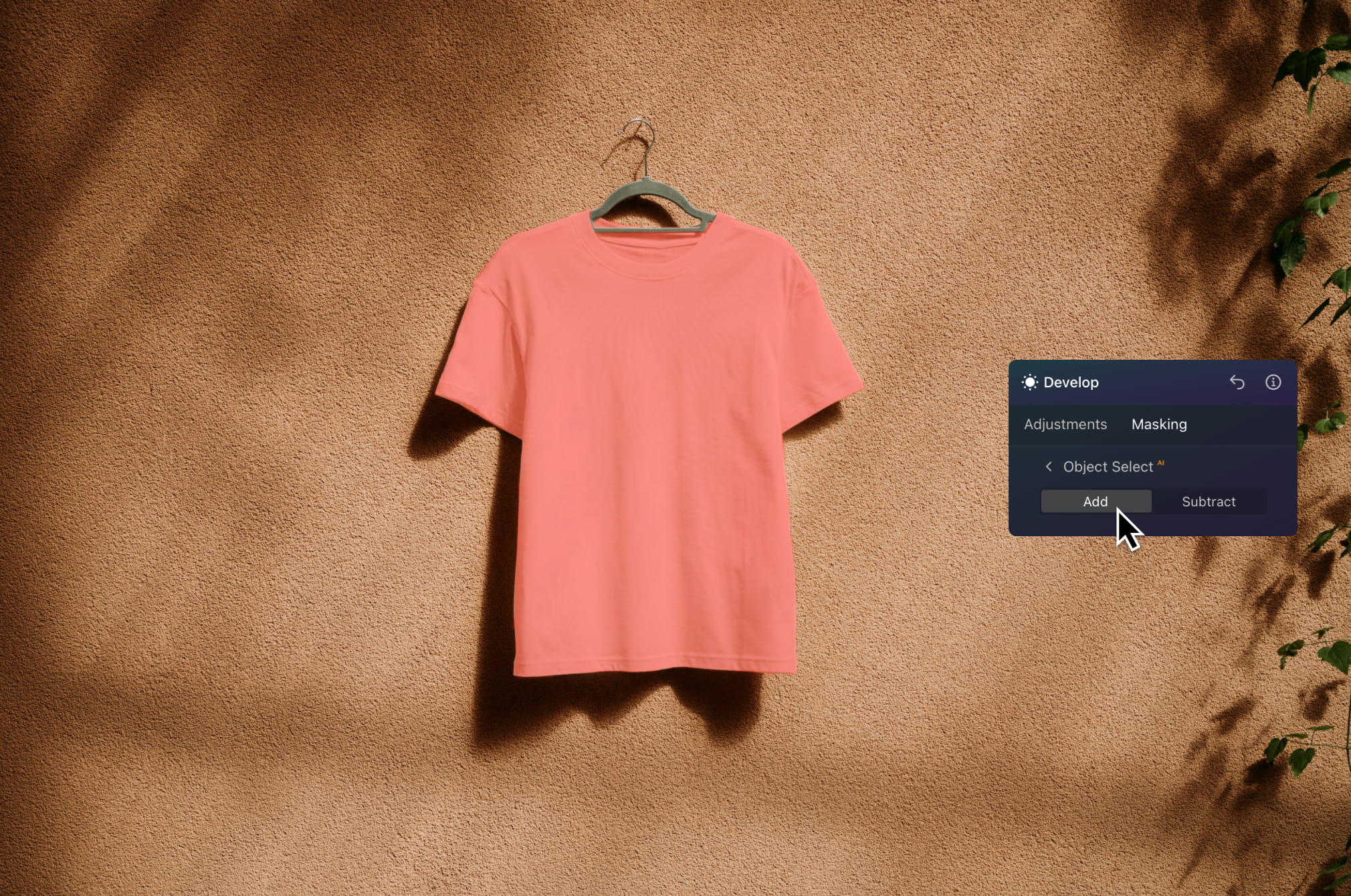
피사체를 빠르게 분리하여 조명 조절과 색감 개선 및, 디테일 선명화 효과를 경험하세요. 배경을 깔끔하게 유지하면서 제품을 돋보이게 할 수 있어, 이커머스, 광고 및 카탈로그 이미지에 이상적입니다.
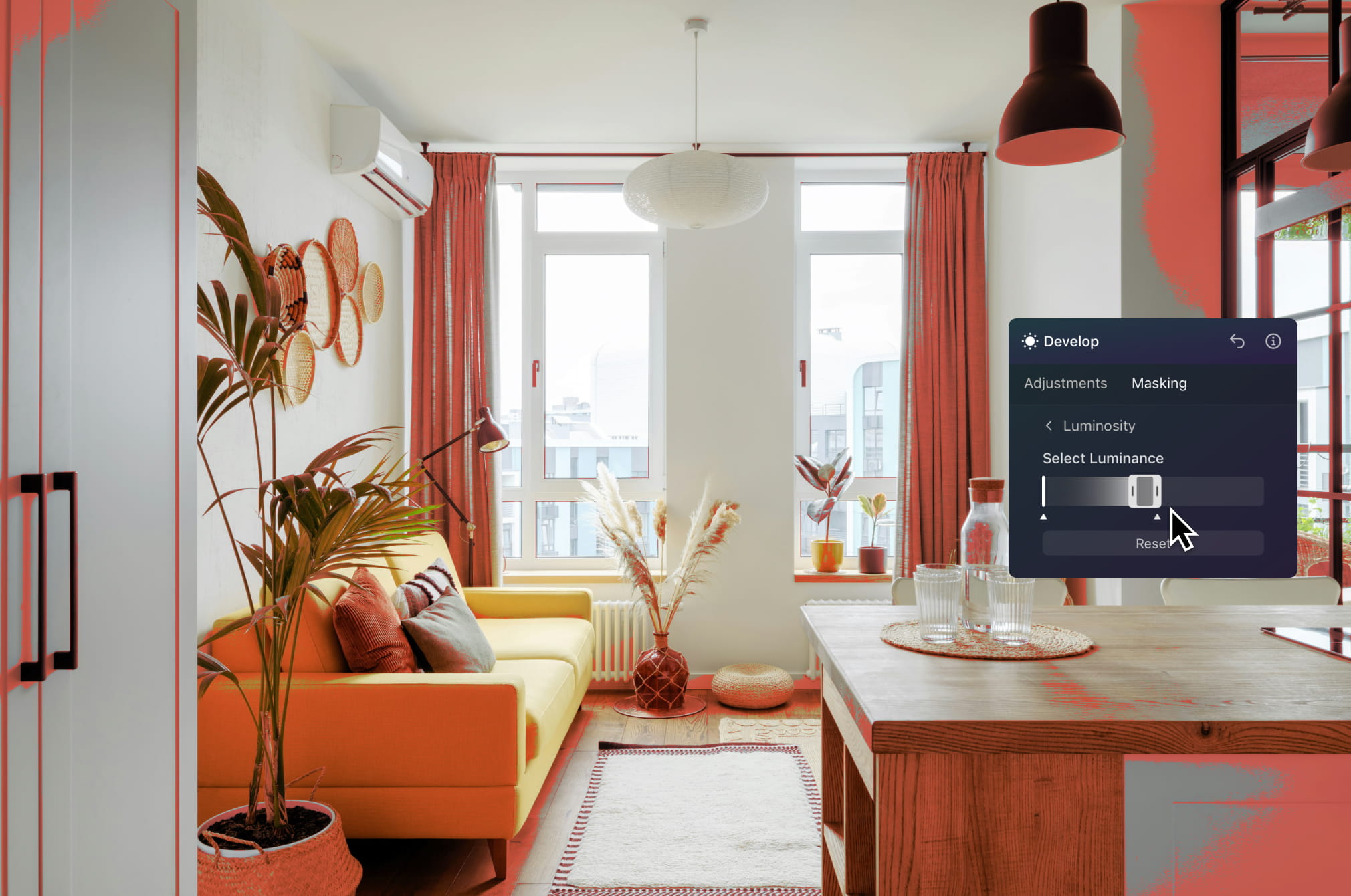
건물의 하늘, 실내 또는 특정 구역을 정밀하게 편집할 수 있습니다. 전체 이미지에 영향을 주지 않고 방의 밝기를 조절하거나, 야외 공간을 돋보이게 하거나, 노출 문제를 수정할 수 있습니다.
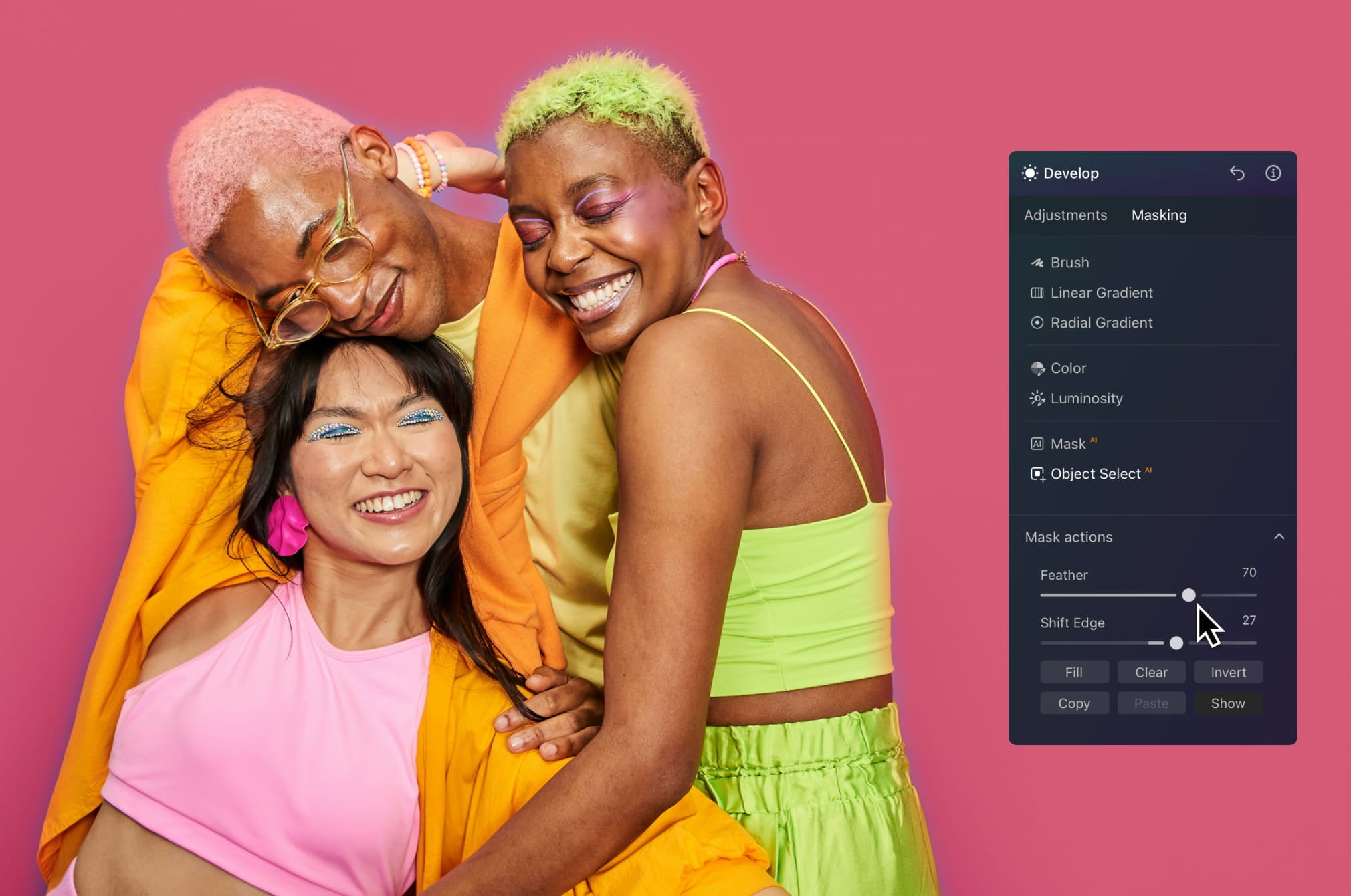
피사체를 분리하고 원하는 효과를 적용해 눈길을 끄는 시각적 콘텐츠를 더 빠르게 제작하세요. 입체감을 더하거나 대비를 강화하는 등, 피드에서 콘텐츠가 돋보이도록 창의적인 편집을 시도해 보세요.
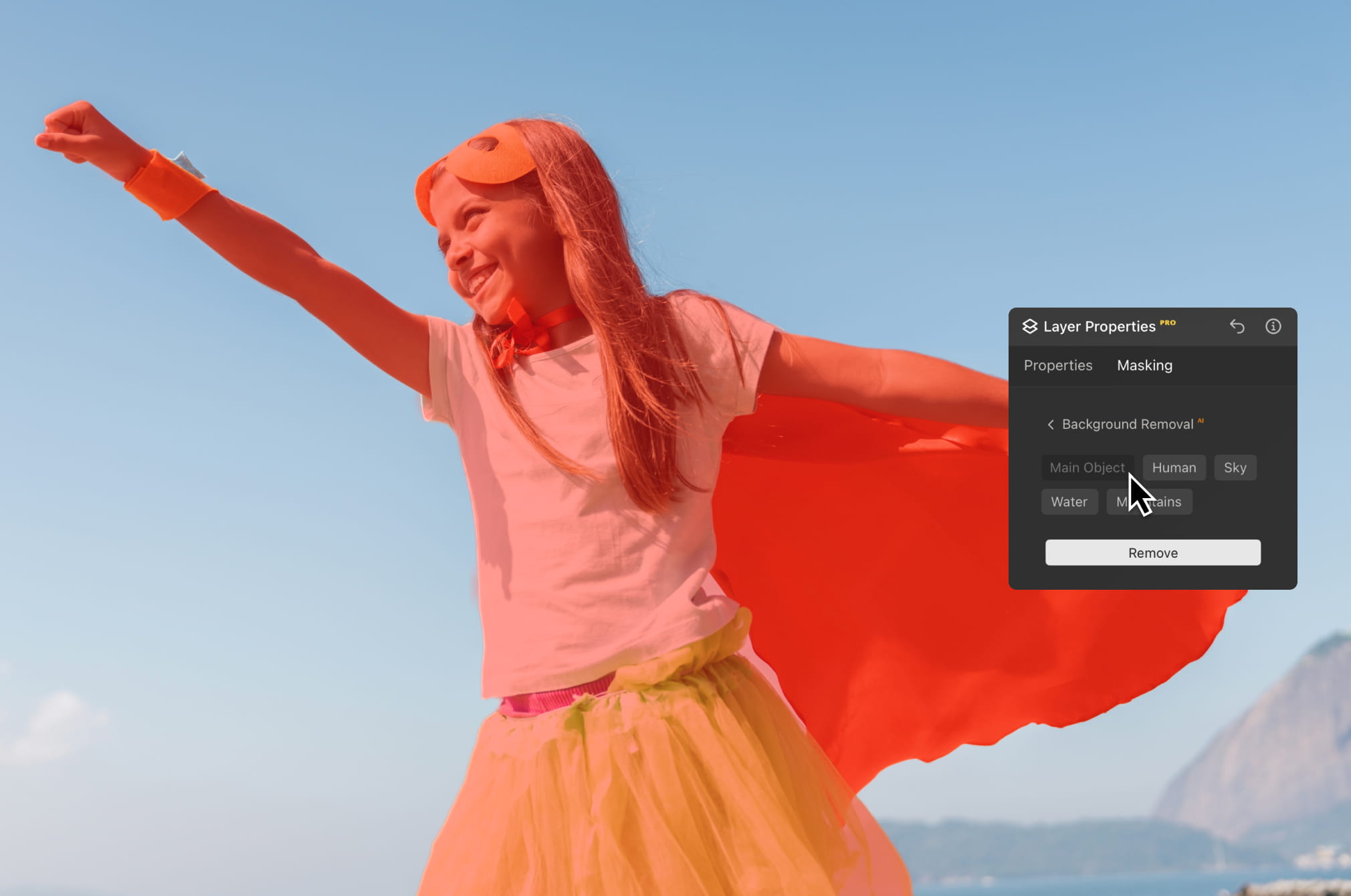
단 몇 초 만에 피사체를 배경에서 분리하여 장면을 바꾸거나 구도를 개선하고, 더욱 세련된 영상을 제작할 수 있습니다. 창의적인 프로젝트, 마케팅 자료, 시각적 스토리텔링에 안성맞춤입니다.
Luminar 의 AI 기반 편집 도구로 사진의 수준을 높여보세요.

신속 보정

모든 픽셀을 정교하게 다듬어 보세요

자연스러운 피부 보정

오래된 사진 복원

구도 수정

모든 디테일을 선명하게

정밀한 노이즈 제거

방해 요소 제거

입체적인 조명 추가

하늘 즉시 교체

기기 간 편집

웹 갤러리에서 편집 내용 공유
신속 보정

숨겨진 디테일 드러내기

대비 강화
구도 수정
모든 픽셀을 정교하게 다듬어 보세요

색상 향상

빛과 그림자 조형
하늘 즉시 교체

골든 아워 재현

사실적인 안개 추가
안개 제거

빛줄기로 밝게 하기

저녁 톤 심화

완벽한 물 질감
방해 요소 제거

장면 확장

자연스러운 객체 교체
오래된 사진 복원
모든 디테일을 선명하게
정밀한 노이즈 제거

품질 손실 없는 업스케일
입체적인 조명 추가

광채의 깊이감 추가

간편한 색보정

네온으로 조명

시네마틱 질감 추가

창의적 효과 레이어링

몽환적인
보케 효과를 연출해 보세요 신규
자연스러운 피부 보정 개선된

이목구비 향상 개선된

체형 보정

배경 흐림 효과

스튜디오 조명 추가

간단한 배경 교체

세련된 밝기 보정

다중 브래킷 병합

광활한 파노라마 스티칭

초점 스택 병합

모든 플랫폼
어디서나 편집하세요.
$ 139 .00
$ 477 .00
-71% 할인일회성 결제, 앱을 영구적으로 사용
바로 구매하기제품:
포함:
데스크톱, 모바일, 웹용 Luminar: 영구 소유. Luminar Prime을 통해 365일 후 AI 도구 갱신 가능.
*AI 도구는 365일간 이용 가능합니다. 공정 이용 정책이 적용됩니다.
최고의 가성비 – 완전 패키지
Max
제한 없이 편집하고, 배우고, 창작하세요.
$ 159 .00
$ 546 .00
-71% 할인일회성 결제, 앱을 영구적으로 사용
바로 구매하기제품:
Luminar Prime:
데스크톱, 모바일, 웹용 Luminar: 영구 소유. 새로운 생성형 AI 도구 및 자산 라이브러리 이용권: 365일.
*AI 도구는 365일간 이용 가능합니다. 공정 이용 정책이 적용됩니다.
데스크톱 전용
편집은 데스크톱 기기에서만 가능합니다.
$ 99 .00
$ 417 .00
-77% 할인일회성 결제, 앱을 영구적으로 사용
바로 구매하기제품:
포함:
Luminar: 영구 소유. Luminar Prime을 통해 365일 후 AI 도구 갱신 가능
*AI 도구는 365일간 이용 가능합니다. 공정 이용 정책이 적용됩니다.
10% 추가 할인 혜택이 기다리고 있습니다 — 아래 코드를 복사하여 결제 시 적용하세요. 서두르세요, 할인 혜택은 15분 후 종료됩니다!
15:00



Windows/MacOS용 데스크톱 앱과 모든 생성형 AI 도구를 1년간 제공합니다.
Luminar 동영상 강좌
Windows/MacOS용 데스크톱 앱과 모든 생성형 AI 도구를 1년간 제공합니다.
iOS/Android/ChromeOS용 모바일 앱
Luminar 동영상 강좌
Windows/MacOS용 데스크톱 앱과 모든 생성형 AI 도구를 1년간 제공합니다.
iOS/Android/ChromeOS용 모바일 앱
Luminar 동영상 강좌
100가지 크리에이티브 애드온






















Create atmospheric images with these 10 Overlays in JPEG format that contain shimmering lights and flares in various colors. Make sure to use them with Luminar’s Layers and/or the Portrait Background Removal tool, and experiment with your photos in any genre. You can add an interesting light effect or make the subject stand out in new ways, all in just a few clicks. Time to try it out!












Feel like adding a touch of something extra to your photos? Discover these 10 Experimental Overlays in JPEG format that you can easily use with Luminar’s Layers feature to transform any photo into a shot that catches the eye. Choose from 10 mesmerizing effects of different colors and shapes, and create a unique mood in a few clicks. From pink hues to golden circles, you’ll certainly find an Overlay perfect for your next masterpiece.









_after.jpeg?q=80&w=625&h=448&resize=cover)


_after.jpeg?w=54&h=30&resize=cover)
일본 여행 중에 찍은 사진이나 일본풍을 연상시키는 분위기를 연출하고 싶은 사진을 향상시켜 보세요. 풍경부터 상징적인 명소, 음식 사진까지, 이 팩은 매우 다양하게 활용할 수 있습니다!












캠핑과 하이킹 사진을 최상의 상태로 만들 수 있도록 설계된 이 10가지 프리셋은 자연스럽고 생동감 넘치는 아웃도어 사진을 찍을 수 있도록 도와줍니다. 웅장한 산을 촬영하든 아늑한 캠프파이어를 촬영하든, 클릭 한 번으로 최고의 사진을 찍을 수 있습니다.












여기가 아직 지구인가요, 아니면 외계 행성인가요? 이 특별한 10가지 프리셋 컬렉션은 풍경 사진에 미묘하고 다른 세상 같은 느낌을 주도록 설계되었습니다. 보는 사람의 시선을 사로잡는 생생한 색상으로 평범한 풍경을 초현실적인 장면으로 바꿔보세요.












남미의 여러 나라를 둘러보면서 10가지 프리셋이 사진에 영화 같은 느낌을 더해주는 것을 경험해 보세요. 풍경 사진에 적합한 이 여행 친화적인 컬렉션으로 아름다운 풍경을 담아내고 사진에 감각을 더해 보세요.












멋진 아프리카 대륙을 주제로 한 이 팩에는 인물과 풍경 사진을 위한 다양한 프리셋이 포함되어 있습니다. 아프리카 여행에서 만나는 랜드마크, 사파리 사진, 건축물 사진, 인물 사진의 품질을 향상시켜 보세요.












미국 전역을 여행하는 동안 환상적인 사진을 만들어 보세요. 랜드마크, 국립공원, 유명 도시의 일반 도시 풍경 이미지를 향상시켜 보세요. 10가지 멋진 프리셋을 몇 번만 클릭하면 다양하고 멋진 효과를 얻을 수 있습니다.












이 매혹적인 10가지 프리셋 컬렉션은 중동의 풍경, 건축물, 거리 스타일, 자연의 신비로운 아름다움을 표현할 수 있도록 디자인되었습니다. 따뜻한 톤, 진한 노란색, 파란색과 황금색 등 사진에 딱 맞는 프리셋을 찾을 수 있습니다.












북유럽 여행 사진에 딱 맞는 10가지 다용도 프리셋 컬렉션을 만나보세요. 전원 풍경, 자연의 경이로움, 스칸디나비아 분위기가 물씬 풍기는 아늑한 건축물을 촬영해 보세요. 여행 가방을 준비할 시간입니다!
Luminar Video Course
Creative Photo Editing Techniques in Luminar

강좌 소개 및 개요
알버트 드로스가 자신을 소개하고 이 사진에서 배울 내용에 대한 간략한 개요와 함께...

사진 입문
최고의 사진을 얻기 위해서는 사진을 찍을 때 어떤 것에 초점을 맞춰야 할까요?

기초 편집
Albert introduces the layout of Luminar and the basic instruments you can use to achieve great results instantly.

고급 편집
Going in depth, Albert shows you the more advanced tools in Luminar and how to use them to make your photos stand out.

드라마틱한 편집
여러분의 사진을 창의적으로 편집해 보세요! 알버트는 보다 창의적인 도구로 사진을 편집하여 극적인 면을 부각시키고 사진에 새로운 생명을 불어넣습니다.

포커스 스태킹
Luminar has Extensions that let you get even more impressive results. In this video, you will learn how to do focus stacking with Luminar’s Focus Stacking Extension.

도시 풍경
도시 풍경 사진의 성패를 가르는 요소는 무엇일까요? 두바이의 평범한 사진을 인상적인 사진으로 바꾸는 방법을 살펴보세요.

숲
Find out what Luminar tools Albert uses to make his impressive signature forest photos. Look out for Atmosphere AI, Sunrays, and other tools!

프리셋
프리셋을 사용하여 사진에서 흥미로운 색상 솔루션을 빠르게 얻는 방법을 알아보세요. 알버트가 프리셋을 사용하여 더욱 아름다운 숲 사진을 찍는 방법을 알려드립니다.

강좌 요약
이 강좌에서 배운 모든 내용을 간단히 요약해 보세요. 즐거운 시간 되세요!
Albert Dros
사진작가, 작가, 교육자
알버트 드로스는 독특한 사진을 기획하고 제작하는 데 남다른 열정을 가진 네덜란드의 풍경 사진작가입니다. 화산, 일식, 자연의 독특한 측면이 그의 관심을 끌고 있습니다. 그는 단순한 사진을 찍는 데 그치지 않습니다.
"Go big or go home" is his motto, always trying to add some unique element to his shots.
그의 작품은 전 세계적으로 인정받아 전 세계 주요 언론 매체에 소개되었습니다.
알버트는 사진 교육자로서뿐만 아니라 개인 프로젝트를 위해 여행을 많이 다닙니다. 네덜란드에서도 그는 사진 촬영을 멈출 수 없습니다. 그의 영감은 멈추지 않습니다.
마스킹 편집 기능은 보정할 객체를 선택하는 동안 이미지의 나머지 부분을 원본 상태로 유지시켜 주는 편리한 기술입니다.
마스킹 도구가 포함된 기존의 사진 편집 앱은 일반적으로 사람의 형상만 자동으로 선택 가능합니다. Luminar Neo는 AI가 핵심적으로 인식하는 9가지 유형의 물체를 자동으로 마스킹합니다. 마스킹 목록이 표시되지 않는 경우, Luminar Neo가 사진 속 객체를 인식하지 못한 것일 수도 있습니다. 다른 방법으로 시도해 보시기 바랍니다!
예, 레이어를 복제하면 마스킹도 복제됩니다.
There's a big variety! The Luminar Neo photo editor detects up to nine separate elements in an image for the perfect mask: people, skies, buildings, vehicles, water, plants, mountains, and both natural and artificial ground.
물론입니다! AI 마스킹을 활용하여 원하는 예술 작품을 만들어 보세요. 그 밖에도 그라디언트 브러시와 같은 다양한 브러시를 마스킹 기능과 함께 사용할 수 있습니다. 마스킹한 영역을 채우거나 투명도를 사용하여 이미지의 다른 부분에 블렌딩해 보세요. Luminar Neo는 사진뿐만 아니라 그래픽 디자인에도 유용하게 활용할 수 있습니다.
마스크 AI는 지루하고 시간이 오래 소요되는 수동 마스킹 작업을 대체하는 스마트 도구입니다. 마스크 AI는 주요 피사체를 인식할 뿐만 아니라 사진 속 사람, 스카이, 건축물, 교통, 식물, 물, 산, 자연 지반, 인공 지반 등의 개별 요소 또한 가동으로 감지합니다. 마스크 AI를 누르기만 하면, Luminar Neo가 사진 속 모든 요소를 자동으로 감지합니다. 이후, 마스킹하려는 객체의 이름 버튼을 누르면 손쉽게 마스킹 작업이 적용됩니다. 또한 마스킹 작업 탭에서 인식한 마스크를 편리하게 표시하고, 채우고, 지우고, 복사하고, 붙여넣기하고, 반전시킬 수 있습니다.
Masking in photo editing refers to the process of selectively hiding or revealing certain portions of an image. It involves creating a "mask" that determines which parts of the image should be visible and which parts should be concealed. It's handy for applying adjustments only to a part of the image.
Absolutely! Using the Luminar Neo's image masking tool, you can mask a picture with different objects. The AI-driven approach makes it even easier and more precise than manual masking, especially for complex shapes or intricate details.
Luminar Neo는 AI를 통해 고급 편집 속도를 높이는 동시에 RAW 파일을 완벽하게 제어할 수 있게 해줍니다. 고품질 RAW 처리, 비파괴 편집, 레이어, 정밀한 색상 및 조명 도구를 제공하며, 이미지 품질을 저하시키지 않으면서 복잡한 조정을 단순화하는 AI 기능이 결합되어 있습니다.
Luminar Neo is built for photographers who shoot in RAW and want both quality and efficiency. It's ideal for landscape, portrait, travel, and commercial photographers, as well as enthusiasts who want professional-grade results without a steep learning curve.
사진가들이 Luminar Neo를 신뢰하는 이유는, 이 소프트웨어가 RAW 파일을 전문적인 정밀도로 처리하는 동시에 하나의 환경에서 강력한 창의적 도구와 AI 도구를 모두 제공하기 때문입니다. Skylum이 개발한 Luminar Neo는 전 세계적으로 전문적인 사진 편집 워크플로우와 신뢰할 수 있는 고품질 결과물을 위해 사용되고 있습니다.
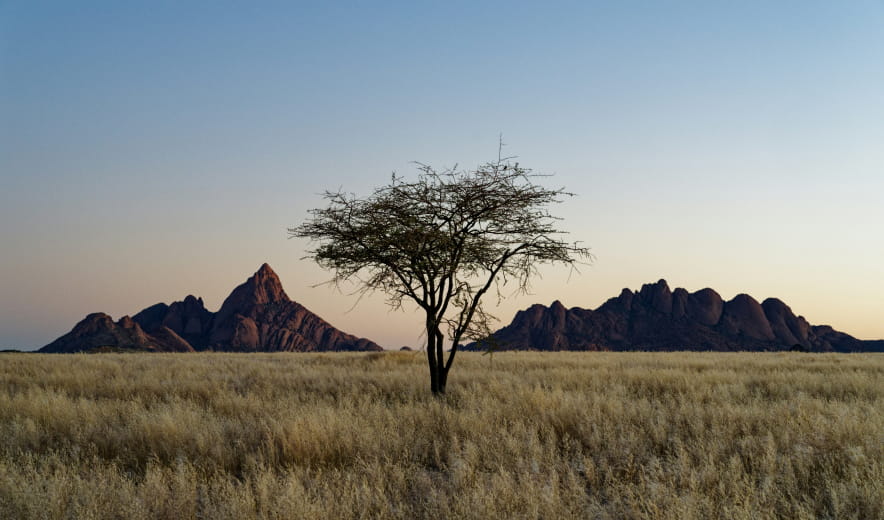
조명과 반사 효과를 자연스럽게 유지한 채, 단 몇 초 만에 사진 속 하늘을 교체하거나 보정하세요.
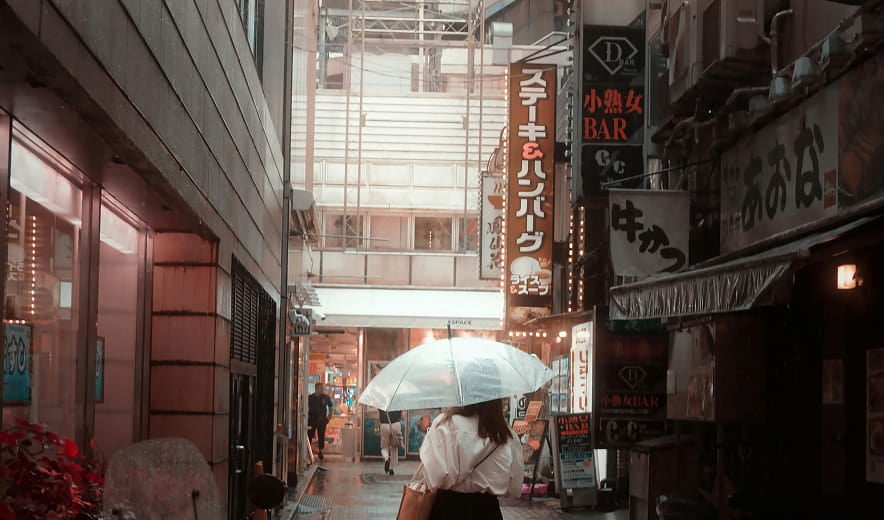
촬영 후 자연스러운 배경 흐림 효과를 적용하여 입체감을 살리고 피사체를 돋보이게 하세요.
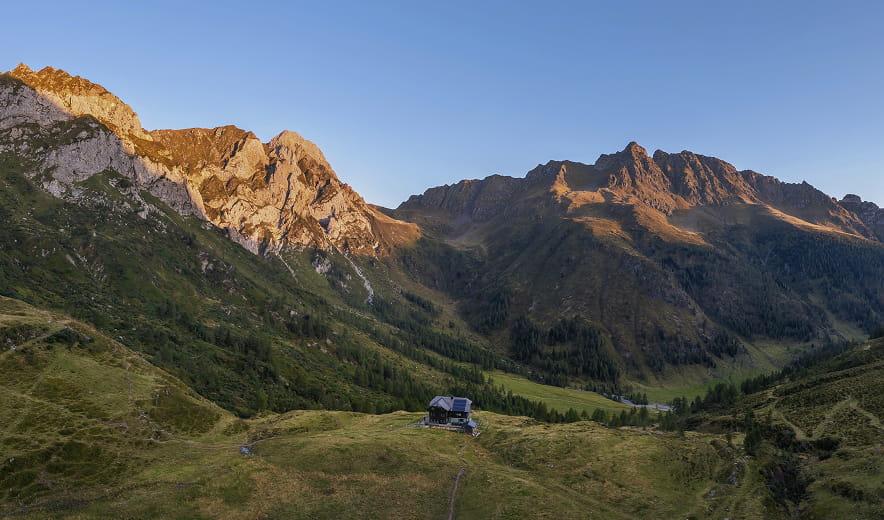
이미지의 조명을 조정하고 전경과 배경의 노출을 각각 독립적으로 조절할 수 있습니다.
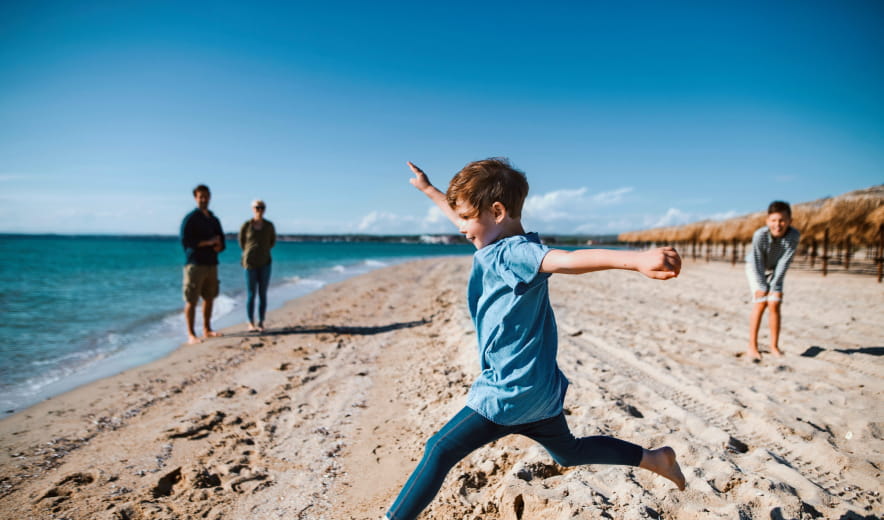
AI 기반 보정 기능을 통해 원치 않는 물체, 방해 요소 또는 결점을 자연스럽게 제거하세요.
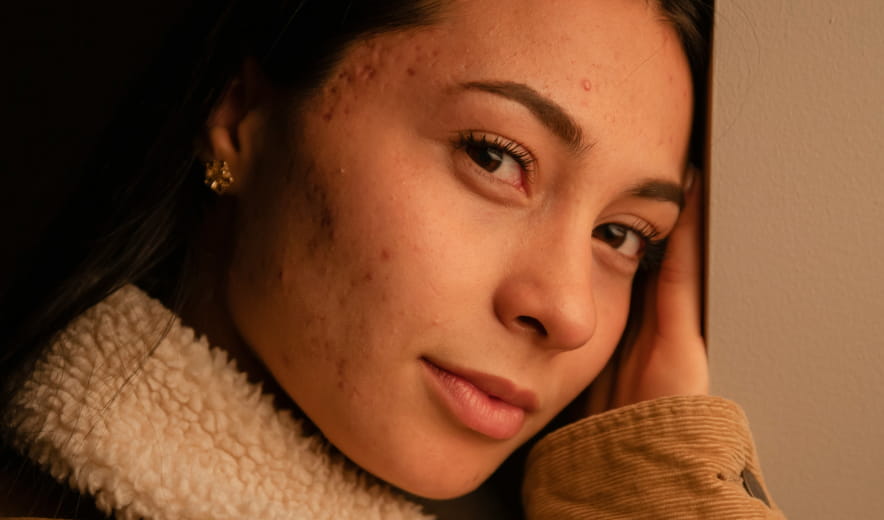
매끄러운 피부 표현과 결점 보정을 통해 자연스러운 질감을 살려, 깔끔하고 생동감 넘치는 인물 사진을 완성하세요.
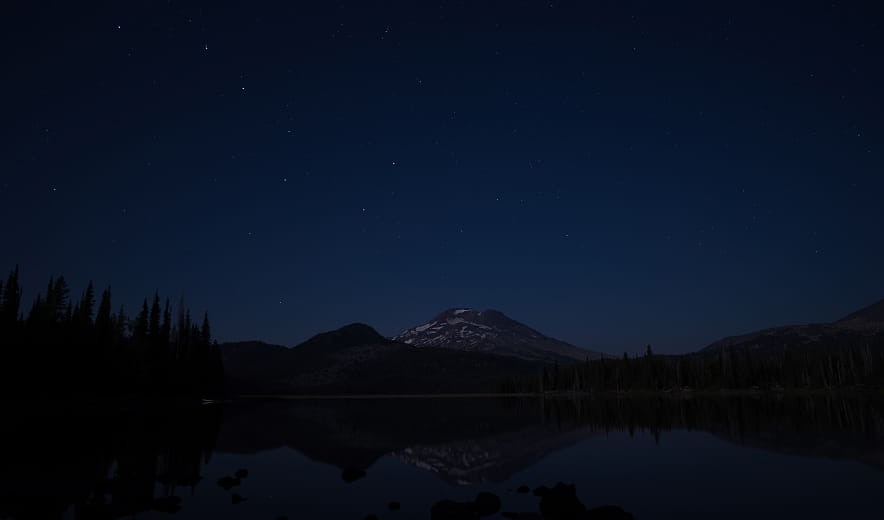
단 하나의 슬라이더로 색상, 대비, 디테일을 자동으로 보정하여 균형 잡히고 세련된 느낌을 연출하세요.
Mac 모델
맥북, 맥북 에어, 맥북 프로, 아이맥, 아이맥 프로, 맥 프로, 맥 미니, 2010년 상반기 또는 그 이후 출시된 모델
프로세서
CPU 인텔® 코어™ i5 8세대 이상
OS 버전
MacOS 12.0 버전 이상.
RAM
메모리 8 GB RAM 이상 (16+ GB RAM 권장)
디스크 공간
하드 디스크 10GB 여유 공간 확보; 최고의 성능을 위해서는 SSD 권장
디스플레이
해상도 1280x768 이상
하드웨어
마우스 또는 유사한 입력 장치가 있는 Windows 기반 하드웨어 PC
프로세서
CPU Intel® Core™ i5 8세대 이상, AMD 라이젠 5 이상
OS 버전
10 버전 1909 이상 이상(x64-비트 OS에만 해당)
RAM
메모리 8 GB RAM 이상 (16+ GB RAM 권장)
디스크 공간
하드 디스크 10GB 여유 공간 확보; 최고의 성능을 위해서는 SSD 권장
디스플레이
해상도 1280x768 이상
그래픽
Open GL 3.3 이상 호환 가능한 그래픽 카드
