
Aggiornamenti automatici
rinnovo tra 1 anno per $ 33 .00



Il mascheramento ti consente di controllare dove vengono applicati i ritocchi, così puoi modificare parti specifiche della foto senza toccare tutta l'immagine.
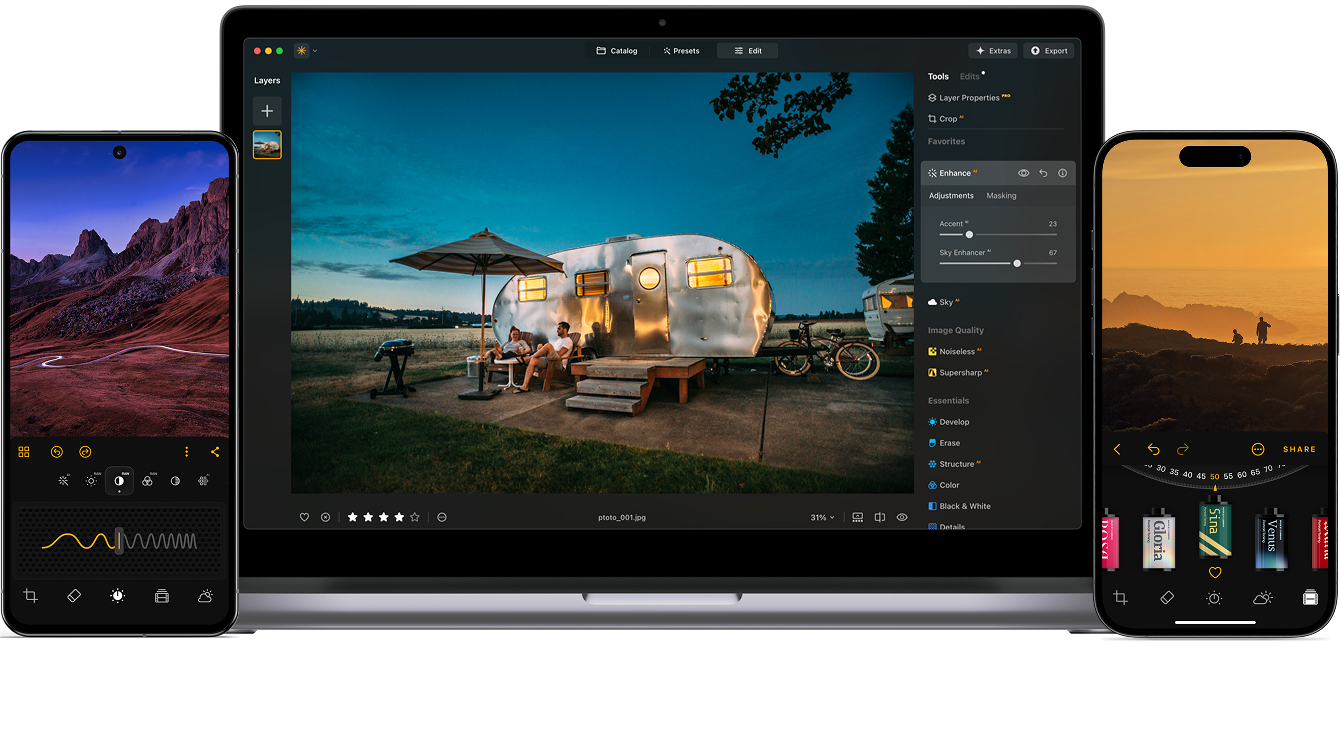
Maschera AI ti offre un controllo di precisione su aree specifiche dell'immagine, aiutandoti a velocizzare l'editing e ottenere risultati più puliti e professionali in vari workflow.
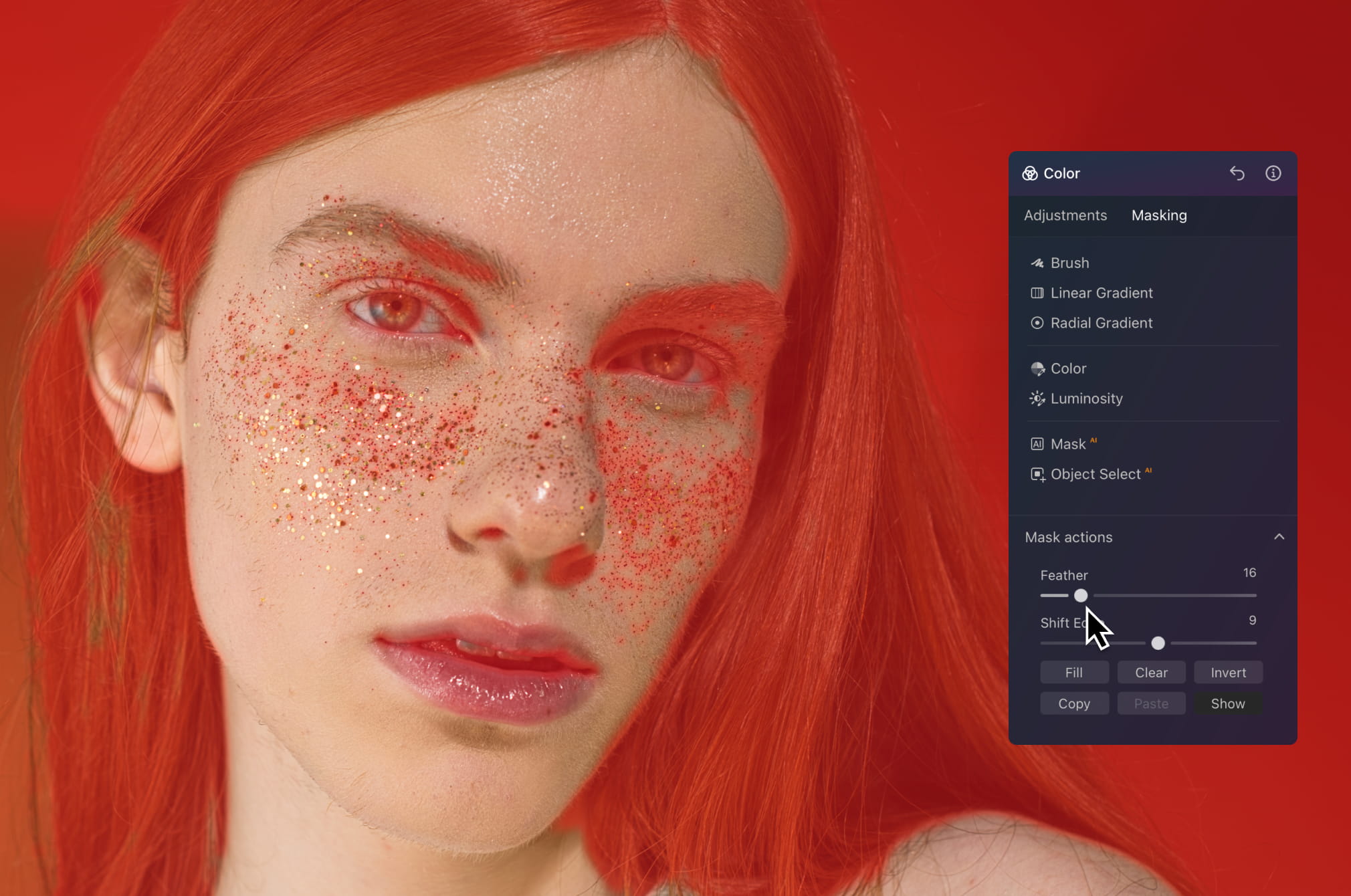
Lavora direttamente su pelle, capelli o sfondo senza toccare il resto dell'immagine. Leviga la pelle, regola i toni o rifinisci la luce mantenendo tutto naturale e dettagliato, senza bordi netti o un aspetto eccessivamente lavorato.
Visualizza tariffe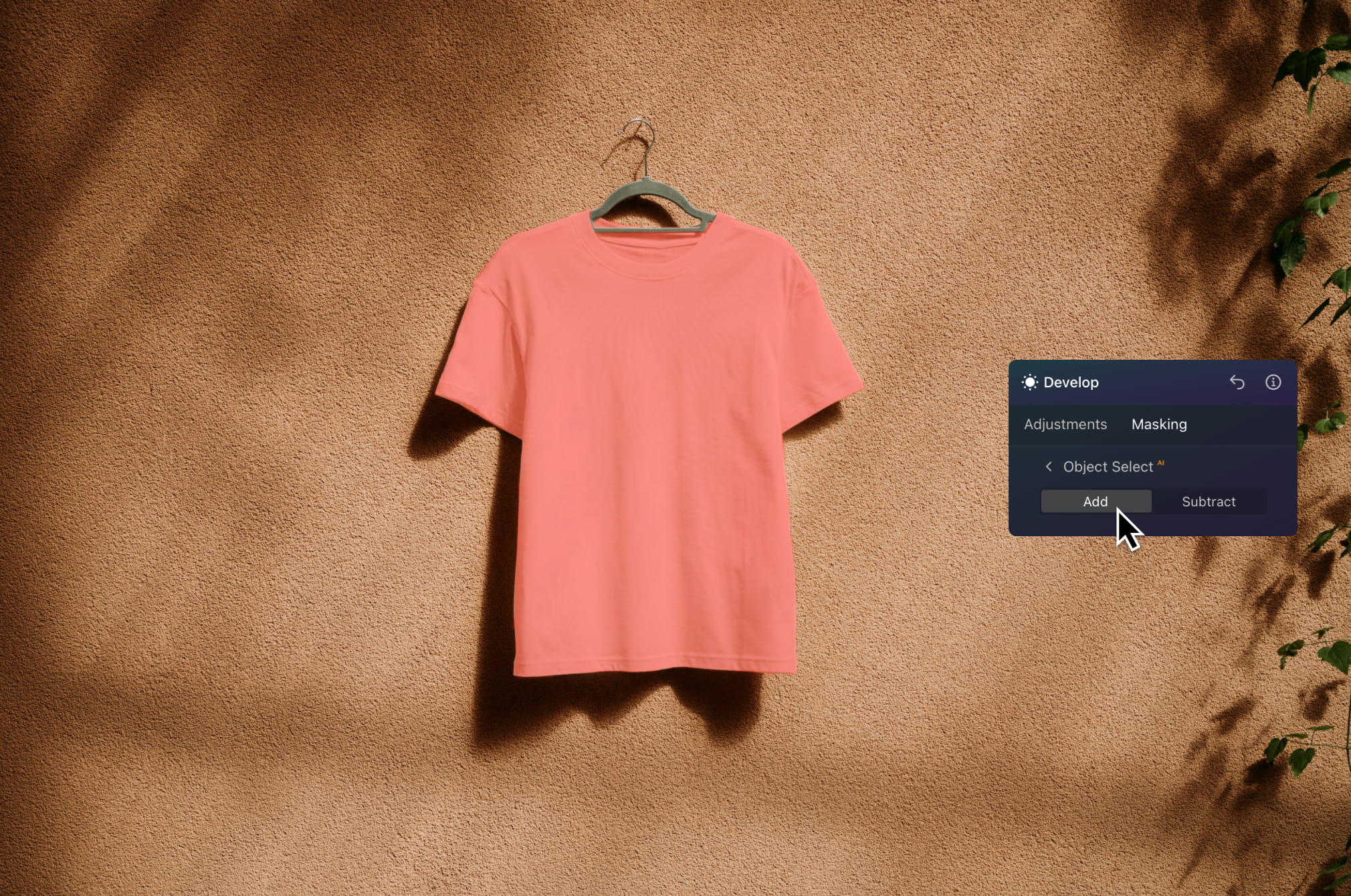
Isola subito il soggetto per dare risalto alla luce, migliorare i colori o donare contrasto ai dettagli. Mantieni uno sfondo pulito mentre fai risaltare il tuo prodotto: l'ideale per e-commerce, pubblicità e immagini di cataloghi.
Visualizza tariffe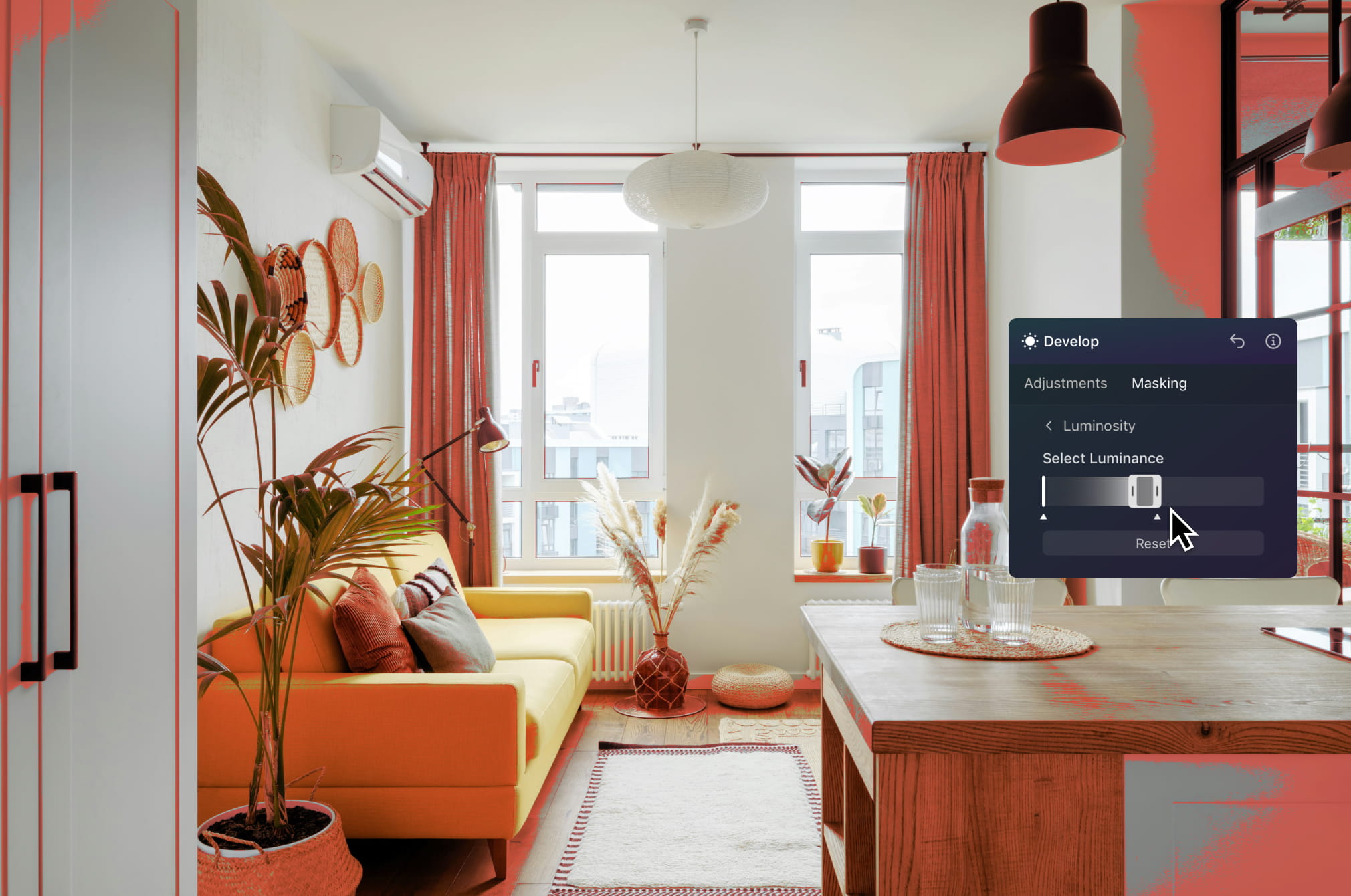
Ritocca con precisione il cielo, gli interni o zone specifiche di un immobile. Illumina le stanze, dai risalto alle aree esterne o correggi i problemi di esposizione senza avere un impatto sull'intera immagine.
Visualizza tariffe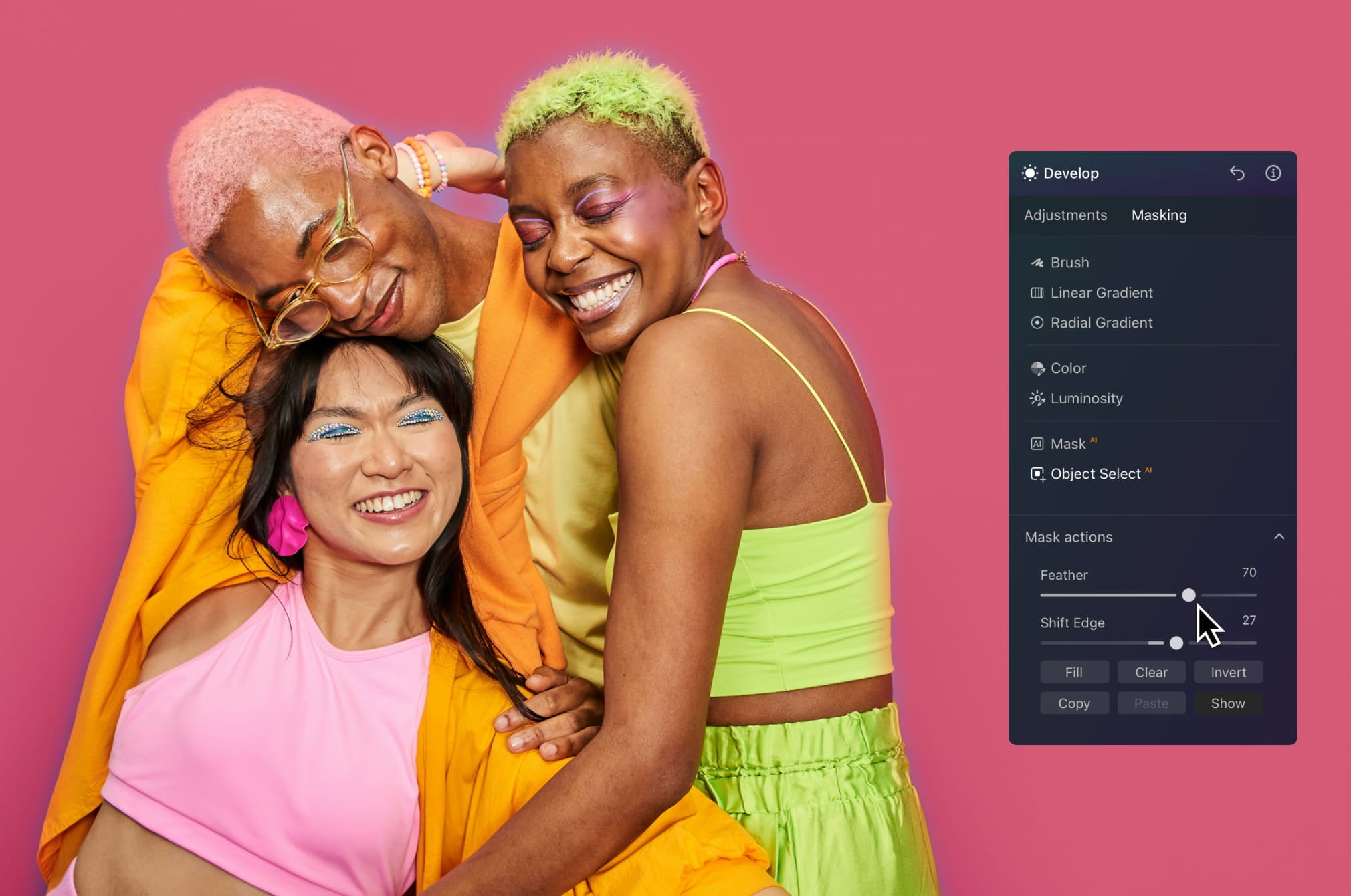
Crea rapidamente immagini accattivanti isolando i soggetti e applicando effetti mirati. Aggiungi profondità, potenzia il contrasto o sperimenta con le modifiche creative che aiuteranno i tuoi contenuti a distinguersi nei feed.
Visualizza tariffe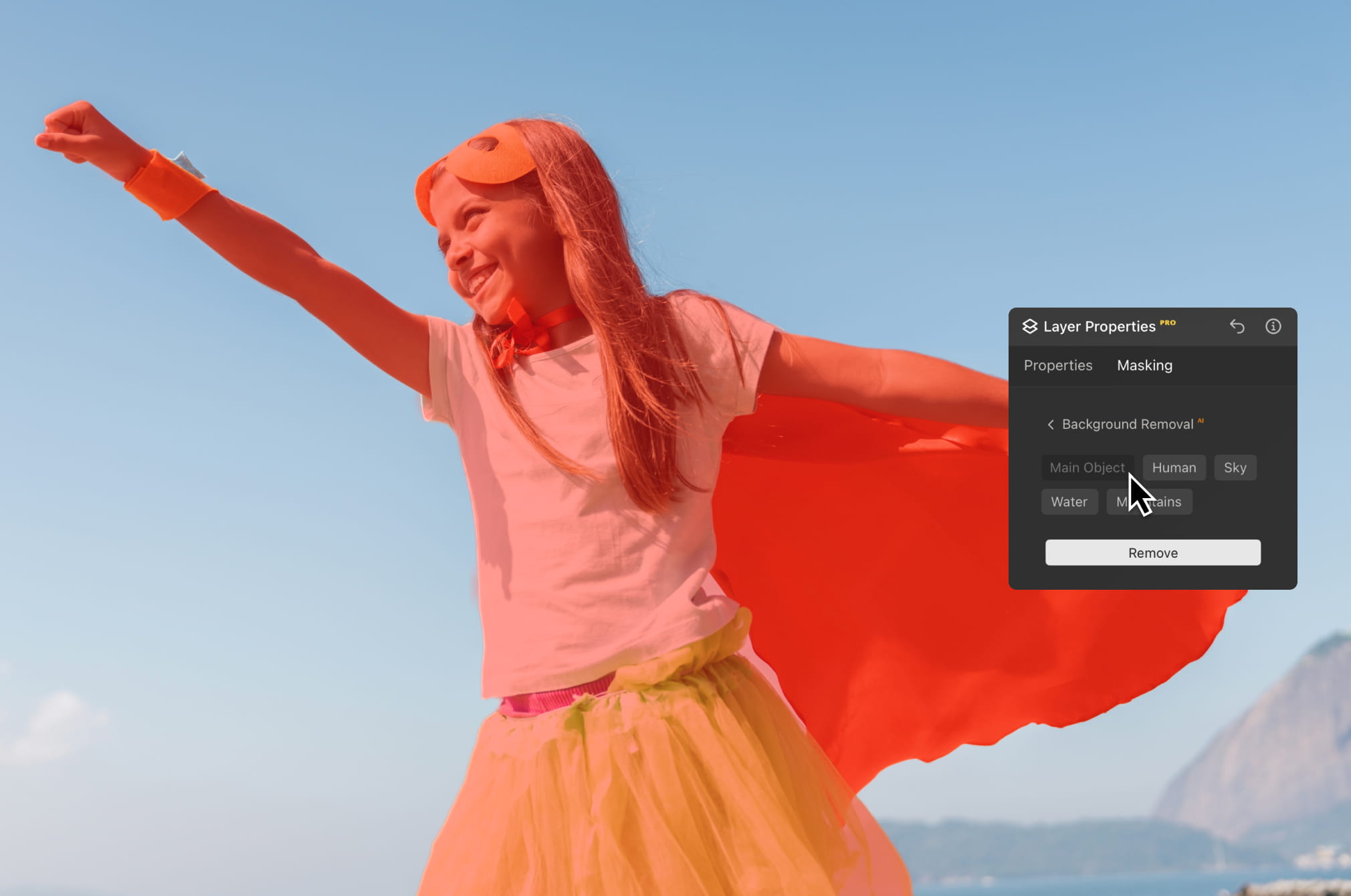
Separa in pochi secondi i soggetti dallo sfondo per cambiare scena, migliorare le composizioni o creare immagini più rifinite. L'ideale per progetti creativi, risrse di marketing e storytelling visivo.
Visualizza tariffePotenzia il tuo editing con i tool di foto editing basati sull'AI di Luminar Neo.

Modifica su più dispositivi

Condividi le modifiche nelle gallerie web

Crea un effetto
boke da sogno NOVITÀ

Leviga la pelle in modo naturale MIGLIORATO

Migliora i lineamenti del viso MIGLIORATO

Rivivi le vecchie foto

Aggiungi illuminazione dimensionale

Migliora in pochi secondi

Rimuovi le distrazioni

Sostituisci istantaneamente i cieli

Sostituisci oggetti in modo uniforme

Metti a fuoco ogni dettaglio
Migliora in pochi secondi

Rivela i dettagli nascosti

Aumenta il contrasto

Correggi la composizione

Rifinisci ogni singolo pixel

Migliora i colori

Modella luce e ombra
Sostituisci istantaneamente i cieli

Ricrea l'ora d'oro

Aggiungi nebbia realistica
Rimuovi la foschia

Illumina con raggi di luce

Intensifica i toni serali

Trame d’acqua perfette
Rimuovi le distrazioni

Espandi la scena
Sostituisci oggetti in modo uniforme
Rivivi le vecchie foto
Metti a fuoco ogni dettaglio

Riduci il disturbo con precisione

Ingrandisci senza perdite di qualità
Aggiungi illuminazione dimensionale

Aggiungi profondità luminosa

Correggi i colori con facilità

Illumina con luci al neon

Aggiungi una texture cinematografica

Sovrapponi effetti creativi
Crea un effetto
boke da sogno NOVITÀ
Leviga la pelle in modo naturale MIGLIORATO
Migliora i lineamenti del viso MIGLIORATO

Modella le proporzioni del corpo

Sfoca gli sfondi in modo elegante

Aggiungi punti luce da atelier

Sostituisci facilmente gli sfondi

Illumina con stile

Unisci più esposizioni

Cuci panorami ampi

Impila scatti a fuoco
Il tuo sconto speciale del 10% scade tra 15:00
$ 119 .00
Pagamento una tantum
Desktop per Windows/MacOS
$ 119
$ 239
Corso video di Luminar Neo
$ 0
$ 59
App mobile per iOS/Android/ChromeOS
Accesso alla Creative Library
La guida rapida di Luminar Neo
Regalo
Massima convenienza – Pacchetto completo
$ 179 .00
Pagamento una tantum
include video corso su Luminar
Desktop per Windows/MacOS
$ 99
$ 239
Corso video di Luminar Neo
$ 0
$ 59
App mobile per iOS/Android/ChromeOS
$ 40
$ 60
Accesso alla Creative Library
$ 40
$ 69
La guida rapida di Luminar Neo
Regalo
$ 159 .00
Pagamento una tantum
include video corso su Luminar
Desktop per Windows/MacOS
$ 119
$ 239
Corso video di Luminar Neo
$ 0
$ 59
App mobile per iOS/Android/ChromeOS
$ 40
$ 60
Accesso alla Creative Library
La guida rapida di Luminar Neo
Regalo
Servizio di assistenza efficace, come confermato dai nostri utenti
Assistenza tecnica
Tasso di soddisfazione 9/10
4.6 su Trustpilot
Il tuo sconto extra del 10% ti aspetta — copia il codice qui sotto e applicalo al momento del pagamento, ma affrettati, scade tra soli 15 minuti!
15:00



Desktop per Windows/MacOS e accesso completo a tutti gli strumenti generativi per un anno.
Corso video di Luminar Neo
Desktop per Windows/MacOS e accesso completo a tutti gli strumenti generativi per un anno.
App mobile per iOS/Android/ChromeOS
Corso video di Luminar Neo
Desktop per Windows/MacOS e accesso completo a tutti gli strumenti generativi per un anno.
App mobile per iOS/Android/ChromeOS
Corso video di Luminar Neo
100 add-on creativi






















Crea immagini affascinanti con queste 10 sovrapposizioni in formato JPEG che contengono luci scintillanti e bagliori in vari colori. Utilizzale con i livelli o con il tool Rimozione sfondo ritratti di Luminar Neo e divertiti a sperimentare con foto di qualsiasi genere. Puoi aggiungere un interessante effetto di luce o far risaltare in un modo nuovo i tuoi soggetti, tutto in pochi clic. Che aspetti a provarle?












Hai voglia di aggiungere qualcosa di più alle tue foto? Scopri queste 10 sovrapposizioni in formato JPEG che puoi utilizzare con facilità insieme alla funzionalità Livelli di Luminar Neo per trasformare qualunque foto in uno scatto che cattura l'attenzione. Scegli tra 10 magnetici effetti di forme e colori diversi, e crea un'atmosfera unica in pochi clic. Dalle sfumature rosa ai cerchi dorati, troverai sicuramente la sovrapposizione perfetta per il tuo prossimo capolavoro.









_after.jpeg?q=80&w=625&h=448&resize=cover)


_after.jpeg?w=54&h=30&resize=cover)
Migliora le foto che hai scattato durante un viaggio in Giappone oppure quelle in cui vorresti un'atmosfera che ricordi lo stile giapponese. Dai paesaggi ai panorami iconici, fino alle foto dei cibi tipici, questo pacchetto offre una versatilità incredibile!












Pensati per far apparire al meglio le tue foto di campeggi ed escursioni, questi 10 preset doneranno un look vibrante e naturale alle tue foto all'aria aperta. Che tu stia catturando scatti di montagne maestose o di invitanti falò, in un solo clic potrai tirare fuori il meglio dalle tue immagini.












È ancora la Terra, o siamo su un pianeta alieno? Questa collezione di 10 straordinari preset è pensata per donare ai tuoi paesaggi un look etereo e ultraterreno. Trasforma paesaggi ordinari in scene surreali con colori vividi che cattureranno all'istante lo sguardo dello spettatore.












Scopri l'atmosfera cinematografica che questi 10 preset aggiungono alle tue foto di viaggio nei Paesi dell'America Latina. Aggiungi fascino e bellezza ai tuoi scatti con questa collezione di viaggio pensata per i paesaggi.












Dedicato al meraviglioso continente africano, questo pacchetto unisce un'ampia varietà di preset, sia per ritratti che per paesaggi. Migliora monumenti, scatti da safari, foto architettoniche e ritratti delle persone incontrate durante i tuoi viaggi in Africa.












Crea fantastiche foto durante i tuoi viaggi negli USA. Migliora le immagini di monumenti, parchi naturali e scenari urbani di città famose. Ottieni effetti favolosi in pochi clic con questi 10 meravigliosi preset.












Questa affascinante collezione di 10 preset è pensata per la bellezza misteriosa degli scenari, l'architettura e lo stile street mediorientali. Toni caldi, gialli intensi o blu e oro: sicuramente troverai il preset perfetto per la tua foto.












Scopri questa meravigliosa collezione di 10 versatili preset perfetti per le tue foto di viaggio nei paesi nordici. Cattura paesaggi idilliaci, meraviglie naturali ed elementi architettonici che trasmettono tutta l'atmosfera scandinava. È ora di fare le valigie!
Corso video di Luminar Neo
Tecniche di foto editing creativo in Luminar Neo

Presentazione e programma del corso
Albert Dros si presenta e fornisce una rapida panoramica di quello che imparerai in questo corso di fotografia e...

Introduzione alla fotografia
Per ottenere i migliori risultati, su cosa devi concentrarti quando scatti le tue foto?

Editing di base
Albert introduce il layout di Luminar Neo e gli strumenti base che puoi utilizzare per ottenere subito risultati eccezionali.

Editing avanzato
Approfondendo i temi, Albert ti mostra i tool più avanzati di Luminar Neo e come utilizzarli per far risaltare le tue foto.

Editing marcato
Libera la creatività nelle tue foto! Albert modifica una foto con tool più creativi per portare in primo piano gli aspetti più spettacolari e infondervi nuova vita.

Focus Stacking
Luminar Neo offre estensioni che ti aiuteranno a ottenere risultati ancora più straordinari. In questo video, scoprirai come realizzare il focus stacking con l'estensione Focus Stacking di Luminar Neo.

Paesaggi urbani
Cosa decreta il successo di un paesaggio urbano? Guarda come trasformare una foto di Dubai da ordinaria a straordinaria.

Foreste
Scopri quali tool di Luminar Neo Albert utilizza per realizzare le sue inimitabili foto di foreste. Cerca Atmosfera AI, Raggi solari e altri tool!

Preset
Impara a utilizzare i preset per ottenere rapidamente interessanti soluzioni di colore nelle tue foto. Albert ti guiderà nell'utilizzo dei preset per ottenere scatti di foreste ancora più belli.

Riepilogo del corso
Approfitta di un reipilogo rapido di tutto quello che hai imparato in questo corso. Divertiti a creare!
Albert Dros
FOTOGRAFO, SCRITTORE E DOCENTE
Albert Dros è un fotografo paesaggista olandese che ha un'enorme passione per la programmazione e la creazione di scatti unici. Vulcani, eclissi solari e tutti gli aspetti più peculiari della natura sono ciò che cattura la sua attenzione. Ma lui non si accontenta di un semplice scatto.
"Go big or go home" is his motto, always trying to add some unique element to his shots.
Il suo lavoro è stato riconosciuto a livello mondiale e pubblicato sui più grandi organi di stampa di tutto il mondo.
Albert viaggia molto per il suo lavoro di insegnante di fotografia, ma anche per i suoi progetti personali. Ma anche quando si trova in Olanda, non smette mai di fotografare. la sua ispirazione è inarrestabile.
Masking edits is a convenient technique to keep parts of an image untouched while selecting objects for enhancement.
A traditional photo editing app with a masking tool can typically only select human figures automatically. Luminar Neo automatically masks nine types of objects that are recognized by the AI at its core. If you don’t see the list of masks Luminar Neo probably doesn’t recognize the objects in your photo. Try a different one!
Yes, if you duplicate a layer, the mask is duplicated too.
There's a big variety! The Luminar Neo photo editor detects up to nine separate elements in an image for the perfect mask: people, skies, buildings, vehicles, water, plants, mountains, and both natural and artificial ground.
Of course! You can create any art you want with the help of AI masking. Additionally, you can use various brushes with your mask, such as the gradient brush. Fill the mask or play with transparency and blend it with other parts of the image. Luminar Neo is valuable for photography as well as graphic design.
Mask AI is a smart tool that eliminates the tedious and time-consuming work of manual masking. Mask AI not only recognizes the main subject but automatically detects separate elements in a photo: people, skies, architecture, transportation, flora, water, mountains, natural ground, and artificial ground. When you press Mask AI, Luminar Neo automatically detects all the elements that are present in your photo. Then you can effortlessly apply the mask simply pressing the button with the name of the element that you want to mask. Additionally, in the Mask Actions tab you can show, fill, clear, copy, paste or invert the detected mask.
Masking in photo editing refers to the process of selectively hiding or revealing certain portions of an image. It involves creating a "mask" that determines which parts of the image should be visible and which parts should be concealed. It's handy for applying adjustments only to a part of the image.
Absolutely! Using the Luminar Neo's image masking tool, you can mask a picture with different objects. The AI-driven approach makes it even easier and more precise than manual masking, especially for complex shapes or intricate details.
Luminar Neo gives you full control over RAW files while making advanced editing faster with AI. It delivers high-quality RAW processing, non-destructive editing, layers, and precise color and light tools, combined with AI features that simplify complex adjustments without sacrificing image quality.
Luminar Neo is built for photographers who shoot in RAW and want both quality and efficiency. It's ideal for landscape, portrait, travel, and commercial photographers, as well as enthusiasts who want professional-grade results without a steep learning curve.
Photographers trust Luminar Neo because it handles RAW files with professional precision while offering powerful creative and AI tools in one environment. Developed by Skylum, Luminar Neo is used worldwide for serious photo editing workflows and reliable, high-quality results.
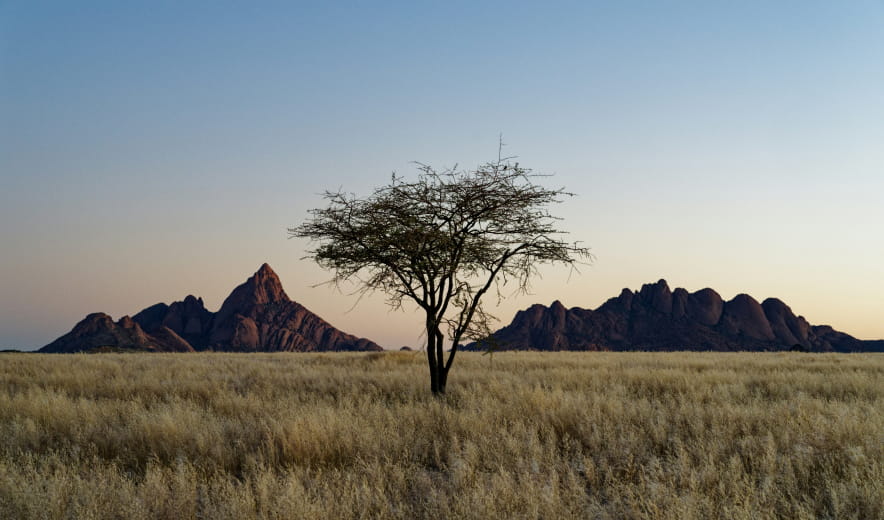
Sostituisci o migliora il cielo nelle tue foto in pochi secondi mantenendo luce e riflessi realistici.
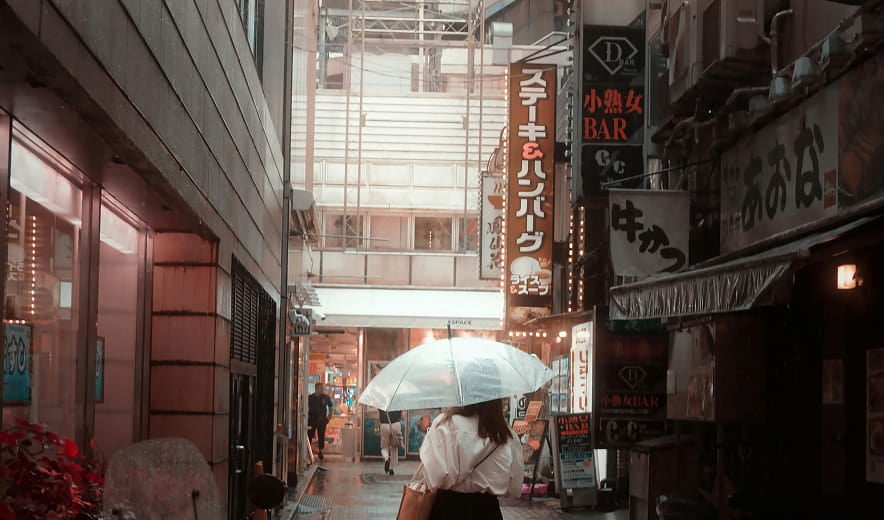
Aggiungi uno sfondo sfocato naturale dopo lo scatto per creare profondità e far risaltare il soggetto.
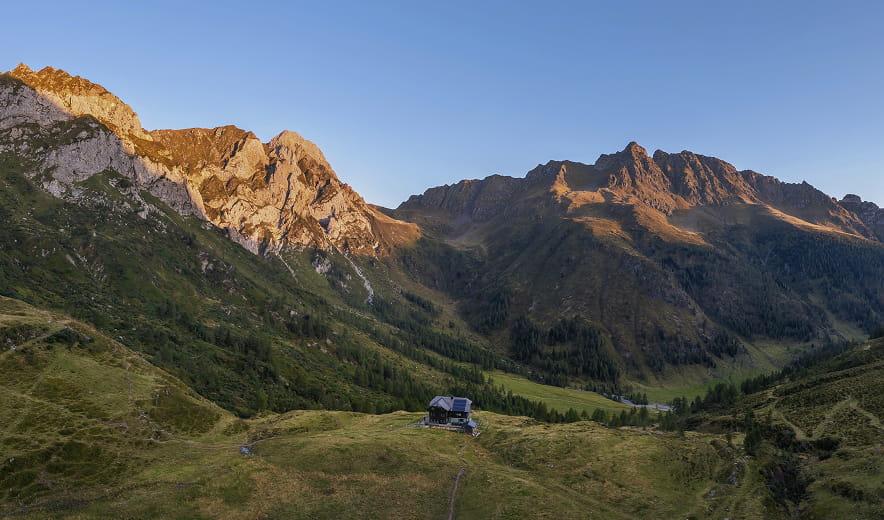
Regola la luce nell'immagine e controlla l'esposizione di primo piano e sfondo in maniera indipendente.
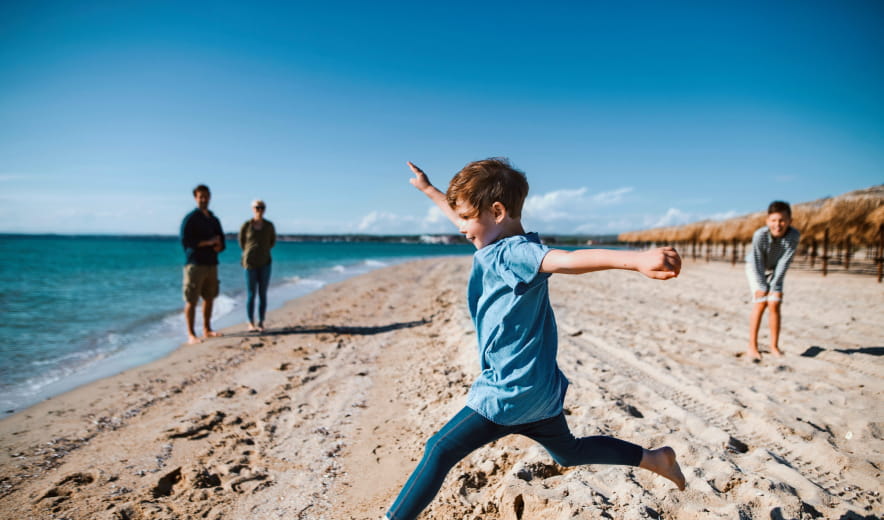
Rimuovi oggetti indesiderati, distrazioni o imperfezioni grazie alla pulizia basata sull'AI.
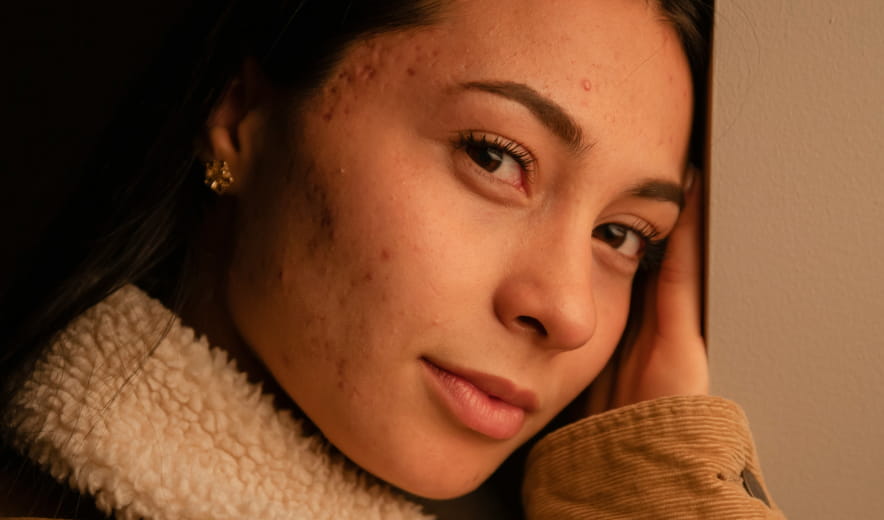
Leviga la pelle, rimuovi le imperfezioni e mantieni una grana naturale per ritratti puliti e realistici.
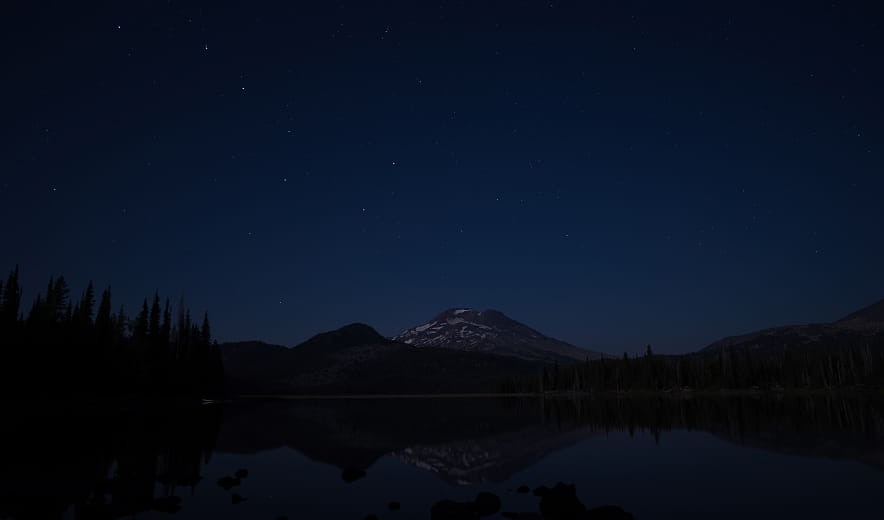
Migliora automaticamente colore, contrasto e dettagli con un solo slider per un look bilanciato e rifinito.
Modello di Mac
MacBook, MacBook Air, MacBook Pro, iMac, iMac Pro, Mac Pro, Mac mini, inizio 2010 o più recente
Processore
CPU Intel® Core™ i5 8 Gen o superiore
Sistema operativo
macOS 12.0 o superiore.
RAM
Almeno 8 GB di RAM (si consiglia una RAM di oltre 16 GB)
Spazio su disco
10 GB di spazio sul disco rigido; SSD per prestazioni ottimali
Display
Schermo da 1280x768 o superiore
Hardware
PC con hardware Windows con mouse o strumento di input simile
Processore
CPU Intel® Core™ i5 8gen o superiore, AMD Ryzen™ 5 o superiore
Sistema operativo
10 versione 1909 o successiva (solo 64-bit OS)
RAM
Almeno 8 GB di RAM (si consiglia una RAM di oltre 16 GB)
Spazio su disco
10 GB di spazio sul disco rigido; SSD per prestazioni ottimali
Display
Schermo da 1280x768 o superiore
Grafica
Schede grafiche compatibili con Open GL 3.3 o successivo
