

自動アップグレード
1年後に更新 $ 33 .00

マスク機能を使えば、編集を適用する範囲をコントロールできるため、写真全体に影響を与えずに特定の部分だけを調整できます。
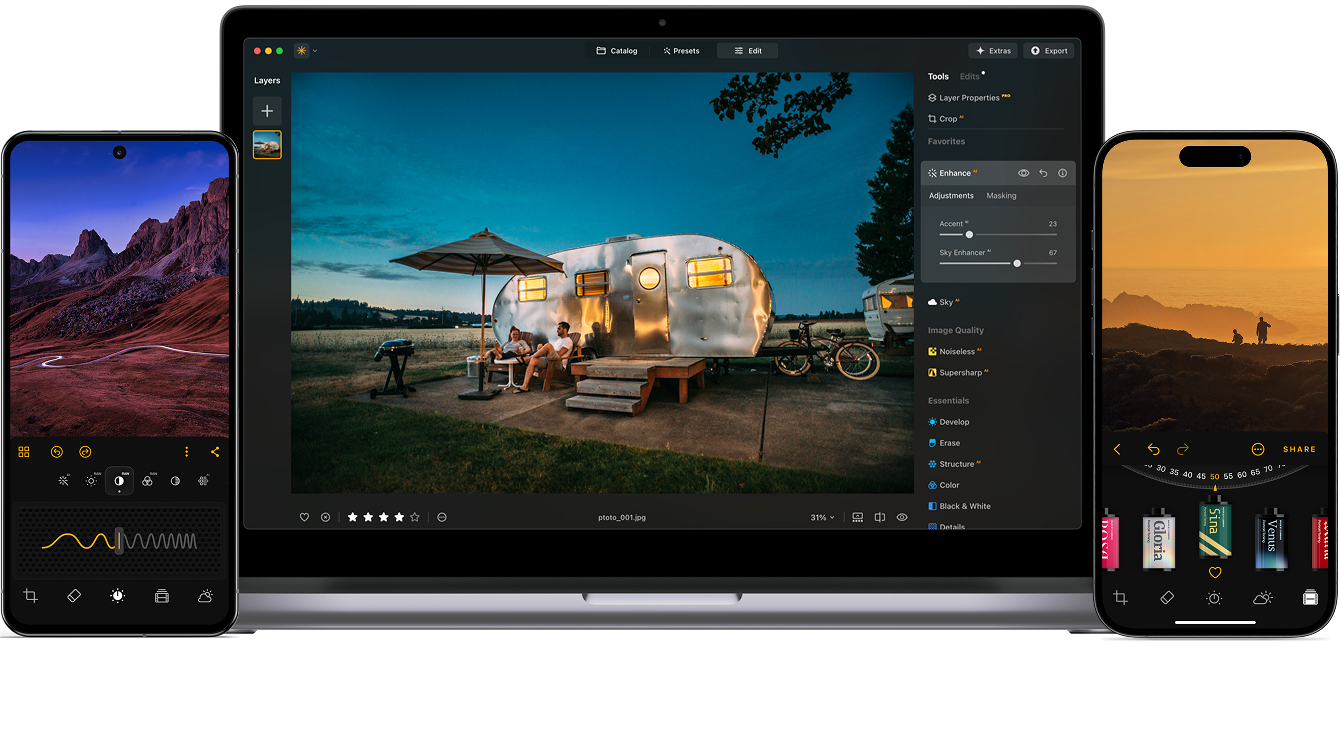
マスクAIを使うと画像内の特定エリアを正確にコントロールでき、編集作業を効率化し、さまざまなワークフローにおいて、よりクリーンでプロフェッショナルな仕上がりを実現できます。
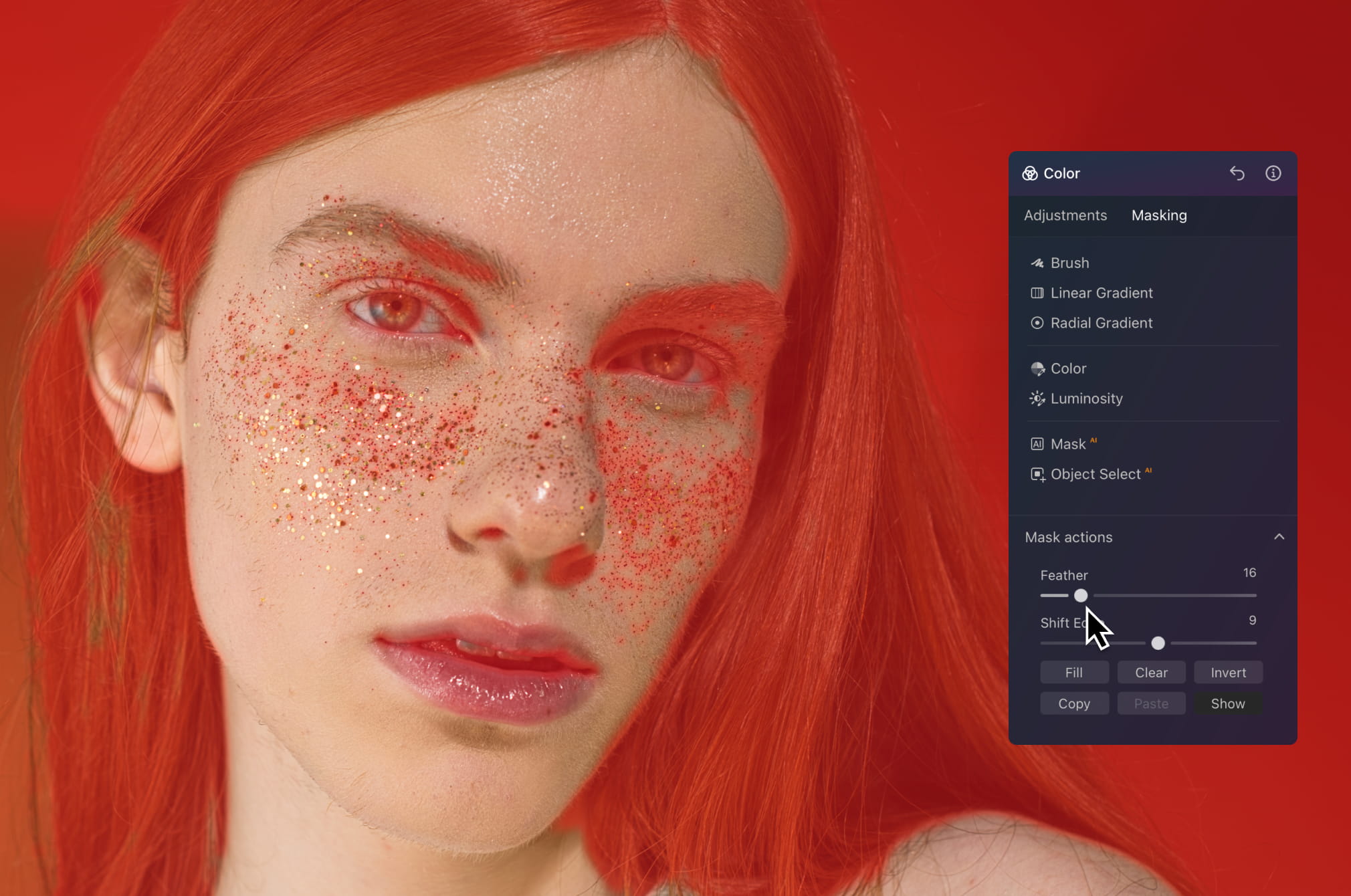
画像全体に影響を与えることなく、肌、髪、背景などを個別に編集できます。肌をなめらかにし、トーン調整やライティングの改善を行いながら自然でディテール豊かな仕上がりを維持できます。不自然なエッジや過剰な加工感は一切ありません。
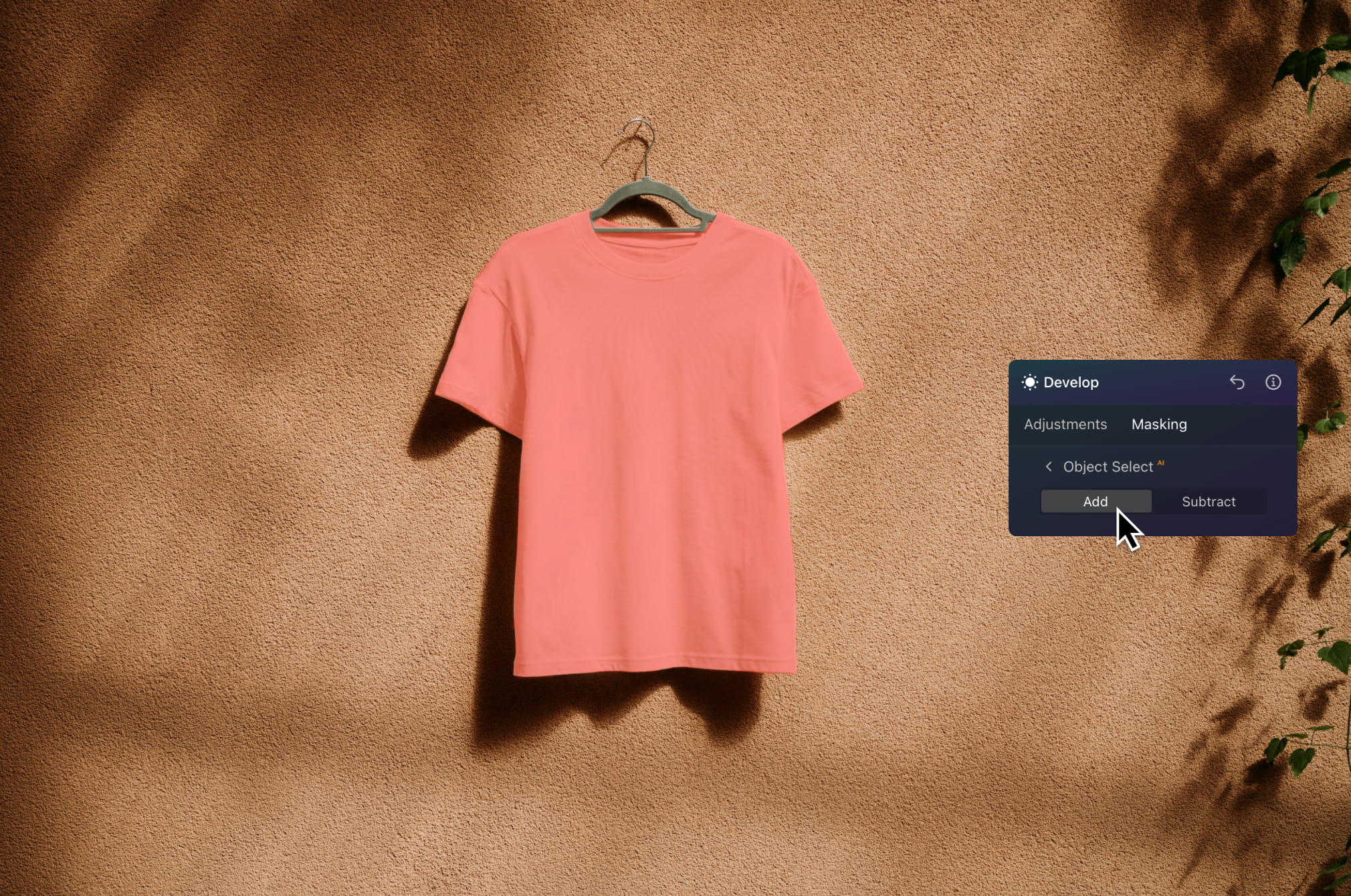
被写体を素早く切り出して、ライティングの補正や色の改善、またはディテールをシャープにしたりできます。背景をすっきりと保ちながら、商品を際立たせることができます。ECサイト、広告、カタログ画像に最適です。
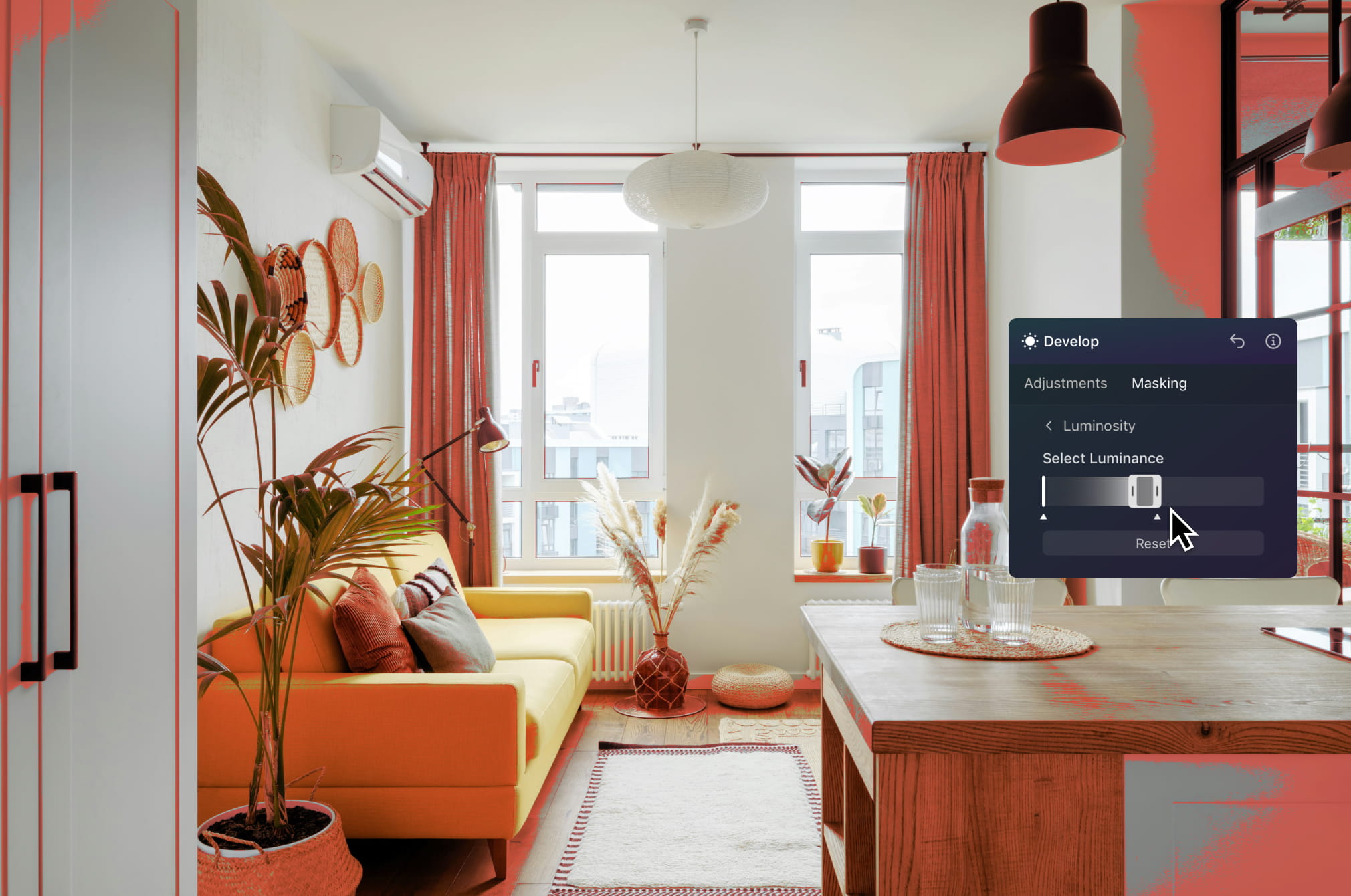
空、室内、物件の特定エリアを正確に編集できます。部屋を明るくしたり、外観部分を強調したり、露出の問題を部分的に補正できます。
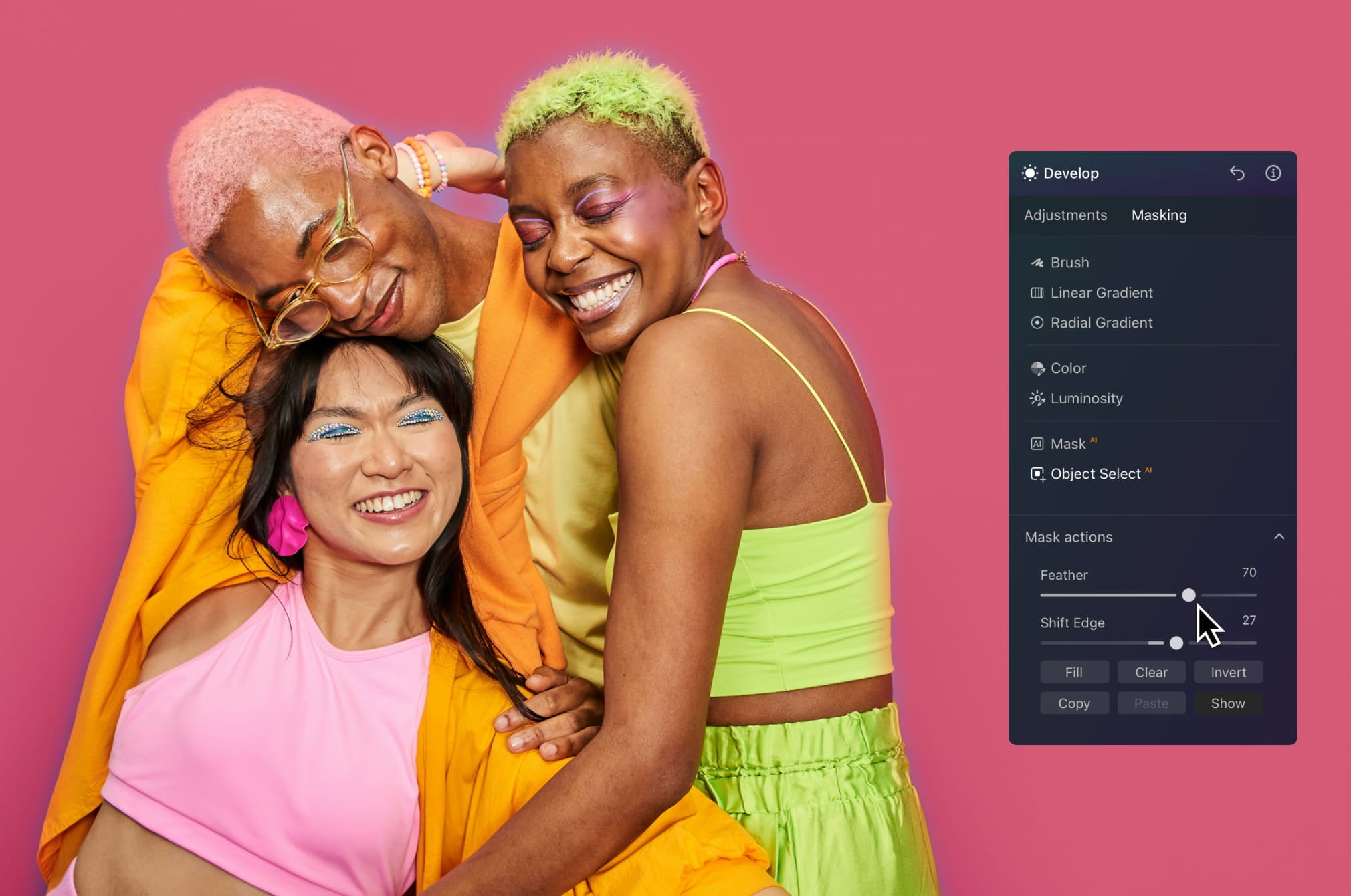
被写体を分離し狙った部分にエフェクトを適用することで、目を引くビジュアルをより速く作成できます。奥行きを加え、コントラストを強調、あるいはクリエイティブな編集を試して、フィードで視線を集めるビジュアルを作成できます。
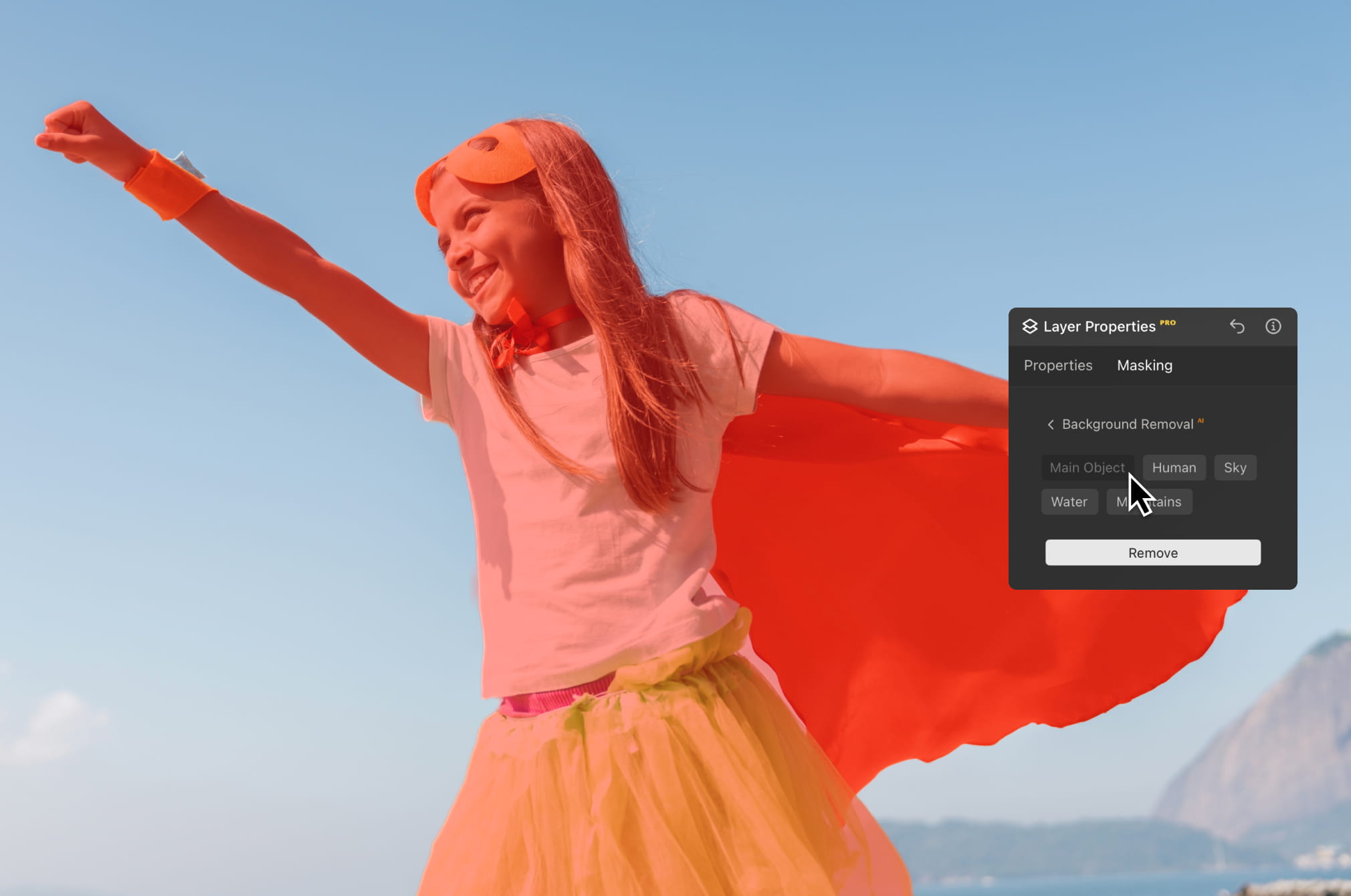
被写体と背景を瞬時に分離してシーンの変更や構図を改善し、より洗練されたビジュアルを作成可能。クリエイティブなプロジェクト、マーケティング素材、ビジュアルストーリーテリングに最適です。
Luminar のAI写真編集ツールで編集をレベルアップ。

数秒で補正

あらゆるピクセルを調整

肌を自然に滑らかにする

古い写真を復元

構図を修正

すべてのディテールをシャープに

精密にノイズを除去

不要なものを除去

立体的なライティングを追加

空を瞬時に置き換え

デバイスをまたいで編集

Webギャラリーで編集内容を共有
数秒で補正

隠れたディテールを強調

コントラストを強調
構図を修正
あらゆるピクセルを調整

色を改善

光と影を自在に操る
空を瞬時に置き換え

ゴールデンアワーを再現

リアルな霧を追加
かすみ除去

光線で明るさをプラス

夕暮れのトーンを深める

理想的な水面を実現
不要なものを除去

シーンを拡張

オブジェクトをシームレスに置き換え
古い写真を復元
すべてのディテールをシャープに
精密にノイズを除去

劣化なしでアップスケール
立体的なライティングを追加

輝きに深みを追加

簡単にカラーグレーディング

ネオンを追加

映画のような質感を追加

創造的なエフェクトを重ねる

夢のような
ボケ効果を作成 新機能
肌を自然に滑らかにする 改善されました

顔のパーツを補正 改善されました

プロポーションを整える

背景を美しくぼかす

スタジオ照明を追加

背景を簡単に置き換える

スタイリッシュに明るくする

複数の露出をマージ

ワイドパノラマを合成

フォーカス合成

すべてのプラットフォーム
どこにいても編集可能。
$ 139 .00
$ 477 .00
-71%OFF一括払い、アプリを永久に利用
今すぐ購入する製品:
含まれています:
デスクトップ、モバイル、Web版のLuminar:永久にあなたのもの。AIツールはLuminar Primeで365日ごとに更新可能です。
*AIツールへのアクセスは365日間。フェアユースポリシーが適用されます。
最もお得 – フルパッケージ
Max
制限なく編集、学習、創作を楽しめます。
$ 159 .00
$ 546 .00
-71%OFF一括払い、アプリを永久に利用
今すぐ購入する製品:
Luminar Prime:
デスクトップ、モバイル、Web版のLuminar:永久にあなたのものです。新しいAIツールや生成AIツール、およびアセットライブラリへのアクセス:365日間。
*AIツールへのアクセスは365日間。フェアユースポリシーが適用されます。
デスクトップ版のみ
編集はデスクトップ端末に限定されます。
$ 99 .00
$ 417 .00
-77%OFF一括払い、アプリを永久に利用
今すぐ購入する製品:
含まれています:
Luminar:永久にあなたのもの。AIツールはLuminar Primeで365日ごとに更新可能
*AIツールへのアクセスは365日間。フェアユースポリシーが適用されます。
あなたの追加10%オフが待っています — 下のコードをコピーしてチェックアウト時に適用してください。ただし急いで、あと15分で期限切れになります!
15:00



Windows/MacOSデスクトップ版と、すべての生成AIツールへの1年間のフルアクセス。
Luminarビデオコース
Windows/MacOSデスクトップ版と、すべての生成AIツールへの1年間のフルアクセス。
iOS/Android/ChromeOS用モバイルアプリ
Luminarビデオコース
Windows/MacOSデスクトップ版と、すべての生成AIツールへの1年間のフルアクセス。
iOS/Android/ChromeOS用モバイルアプリ
Luminarビデオコース
100のクリエイティブ アドオン






















Create atmospheric images with these 10 Overlays in JPEG format that contain shimmering lights and flares in various colors. Make sure to use them with Luminar’s Layers and/or the Portrait Background Removal tool, and experiment with your photos in any genre. You can add an interesting light effect or make the subject stand out in new ways, all in just a few clicks. Time to try it out!












Feel like adding a touch of something extra to your photos? Discover these 10 Experimental Overlays in JPEG format that you can easily use with Luminar’s Layers feature to transform any photo into a shot that catches the eye. Choose from 10 mesmerizing effects of different colors and shapes, and create a unique mood in a few clicks. From pink hues to golden circles, you’ll certainly find an Overlay perfect for your next masterpiece.









_after.jpeg?q=80&w=625&h=448&resize=cover)


_after.jpeg?w=54&h=30&resize=cover)
日本旅行で撮った写真や、和の雰囲気を出したい写真を素敵に。風景から象徴的な名所、食べ物の写真まで、このパックは驚くほど多用途です。












キャンプやハイキングの写真を最高なものにするよう作られたこれらの10種類のプリセットは、屋外の写真を自然で鮮やかにします。雄大な山々の写真や、居心地の良いキャンプファイヤーの写真も、ワン・クリックでベストな仕上がりにします。












ここはまだ地球、それとも他の星?この10種類の素晴らしいプリセット コレクションは、風景写真を幻想的で別世界のような雰囲気に仕上げます。平凡な風景を鮮やかな色彩で超現実的なシーンに変え、見る人を釘付けにしてください。












これら10種類のプリセットを使って、映画のようにラテン アメリカの国々を巡る旅を体験してください。風景用にデザインされ、旅の写真にぴったりのコレクションで、美しさを際立たせ写真にセンスを加えましょう。












素晴らしいアフリカ大陸に特化したこのパックには、ポートレート写真と風景写真の両方のさまざまなプリセットが組み合わされています。ランドマーク、サファリショット、建築写真、アフリカ旅行中に出会った人々のポートレートを際立たせます。












アメリカ旅行の写真を素晴らしいものにしましょう。有名な都市のランドマーク、国立公園、よくある都市景観の写真を素敵に。これらの10種類の素晴らしいプリセットを使うと数クリックで、あらゆる驚きの効果を実現できます。












10種類のプリセットからなるこの魅力的なコレクションは、中東の風景、建築、ストリート スタイル、自然の神秘的な美しさを引き出すように作られています。暖色系、濃い黄色、青と金色など、あなたの写真にぴったりのプリセットがきっと見つかります。












北欧諸国の旅行写真にぴったりな、10種類の汎用的プリセットの素晴らしいコレクションをご覧ください。牧歌的な風景、自然の驚異、美しい建築物などのスカンジナビアのムードを捉えられます。旅の準備を整えましょう!
Luminar Video Course
Creative Photo Editing Techniques in Luminar

紹介&コース概要
Albert Drosの自己紹介と、写真について学べることを簡単に説明します...

写真入門
ベストな仕上がりのためには、写真を撮るときに何に注目すべき?

基本の編集
Albert introduces the layout of Luminar and the basic instruments you can use to achieve great results instantly.

高度な編集
Going in depth, Albert shows you the more advanced tools in Luminar and how to use them to make your photos stand out.

ドラマチックな編集
写真でクリエイティブに!Albertがよりクリエイティブなツールを使って編集し、写真のドラマチックな側面を引き出し、新しい命を吹き込みます。

フォーカス スタッキング
Luminar has Extensions that let you get even more impressive results. In this video, you will learn how to do focus stacking with Luminar’s Focus Stacking Extension.

都市景観
都市景観写真の良し悪しとは?普通のドバイの写真を印象的な写真に変える方法をご覧ください。

森林
Find out what Luminar tools Albert uses to make his impressive signature forest photos. Look out for Atmosphere AI, Sunrays, and other tools!

プリセット
プリセットを使って、写真の素早くて面白いカラー 編集方法を学べます。 Albert がプリセットでさらに美しい森の写真を作る方法をご紹介します。

コース 要約
このコースで学んだすべての内容のまとめ。楽しい創作を!
Albert Dros(アルバート・ドロス)
写真家、ライター、教育者
Albert Dros(アルバート・ドロス)はオランダの風景写真家で、ユニークな写真を作りだすことに並々ならぬ情熱を注いでいます。火山、日食などのユニークな自然の持つ側面が彼を魅了します。彼は単に写真を撮りに行くだけではありません。
"Go big or go home" is his motto, always trying to add some unique element to his shots.
彼の作品は世界的に認知されており、世界中の主要メディアで取り上げられています。
アルバートは写真教育者としてだけでなく、個人的なプロジェクトのためにもよく旅行します。オランダにいても、彼の写真を撮るインスピレーションは衰えることはありません。
マスキング編集は、強調したい被写体を選択する際に、写真のその他の部分をそのままにしておく便利なテクニックです。
マスキング ツールを備えた従来の写真編集アプリでは、通常、人物のみを自動的に選択できます。Luminar Neo は、AIによって9種類のオブジェクトを認識し自動的にマスクをかけます。マスクのリストが表示されない場合、Luminar Neoが写真内のオブジェクトを認識していない可能性があります。別のもので試してください!
はい、レイヤーをコピーすると、マスクも一緒にコピーされます。
There's a big variety! The Luminar Neo photo editor detects up to nine separate elements in an image for the perfect mask: people, skies, buildings, vehicles, water, plants, mountains, and both natural and artificial ground.
Of course! You can create any art you want with the help of AI masking. Additionally, you can use various brushes with your mask, such as the gradient brush. Fill the mask or play with transparency and blend it with other parts of the image. Luminar Neo is valuable for photography as well as graphic design.
マスク AIは手動でマスクをかける面倒で時間のかかる作業を省略するスマート ツールです。マスク AIは主な被写体を認識するだけでなく、写真内の人物、空、建物、乗り物、植物、水面、山、自然な地面、人工的な地面などの個別の要素を自動的に認識します。マスク AIを押すと、Luminar Neoは写真内のすべての要素を自動的に検出します。その後、マスクしたい要素の名前をクリックするだけで、マスクを簡単に適用できます。さらに、”マスク アクション”タブでは、検出されたマスクを表示、塗りつぶし、クリア、コピー、貼り付け、または反転することができます。
Masking in photo editing refers to the process of selectively hiding or revealing certain portions of an image. It involves creating a "mask" that determines which parts of the image should be visible and which parts should be concealed. It's handy for applying adjustments only to a part of the image.
Absolutely! Using the Luminar Neo's image masking tool, you can mask a picture with different objects. The AI-driven approach makes it even easier and more precise than manual masking, especially for complex shapes or intricate details.
Luminar Neoは、RAWファイルを完全に制御できると同時に、AIを活用して高度な編集を高速化します。高品質なRAW処理、非破壊編集、レイヤー、そして精密な色と光のツールを提供し、画質を損なうことなく複雑な調整を簡素化するAI機能と組み合わせています。
Luminar Neo is built for photographers who shoot in RAW and want both quality and efficiency. It's ideal for landscape, portrait, travel, and commercial photographers, as well as enthusiasts who want professional-grade results without a steep learning curve.
写真家がLuminar Neoを信頼する理由は、RAWファイルをプロフェッショナルな精度で処理しつつ、強力なクリエイティブツールとAIツールを単一の環境で提供しているからです。Skylumによって開発されたLuminar Neoは、本格的な写真編集ワークフローと、信頼性の高い高品質な結果を求めて世界中で利用されています。
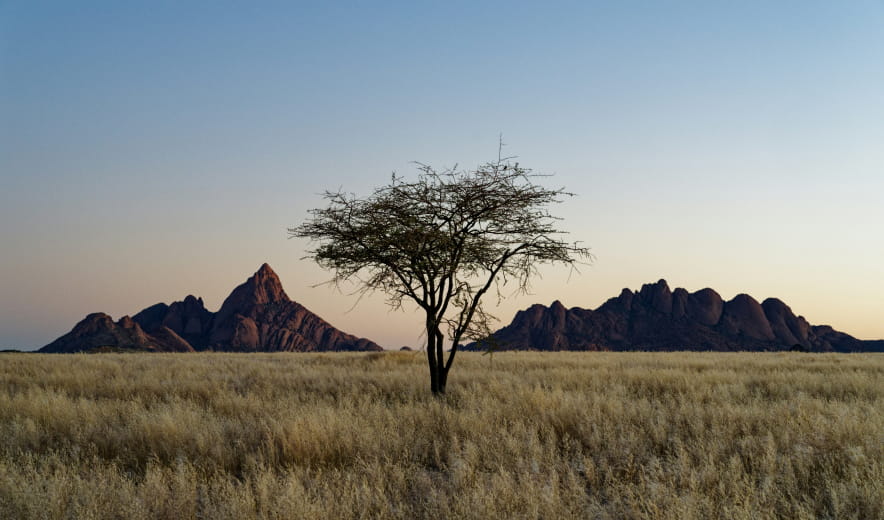
写真の空を数秒で置き換えたり、強調したりしながら、ライティングと反射をリアルに再現します。
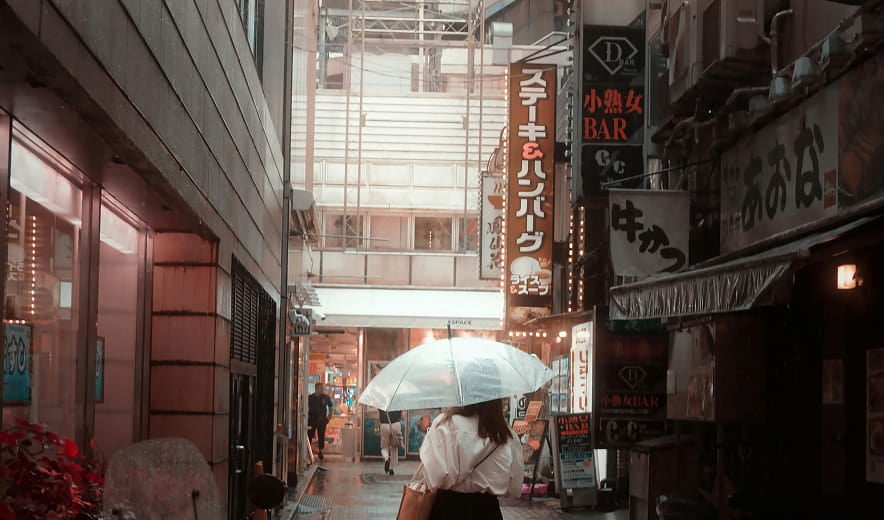
自然な背景ぼかしを加えることで、撮影後でも奥行きが生まれて被写体が際立ちます。
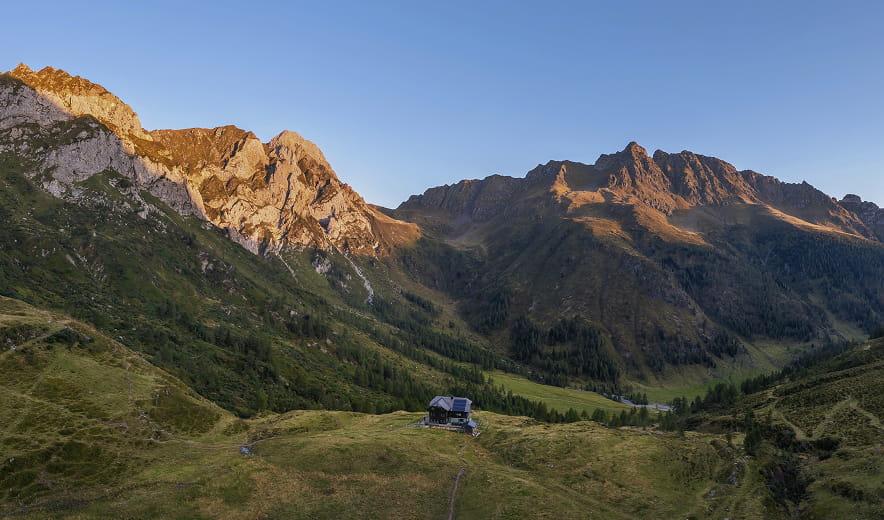
前景と背景それぞれの露出を独立してコントロールし、ライティングを細かく調整。
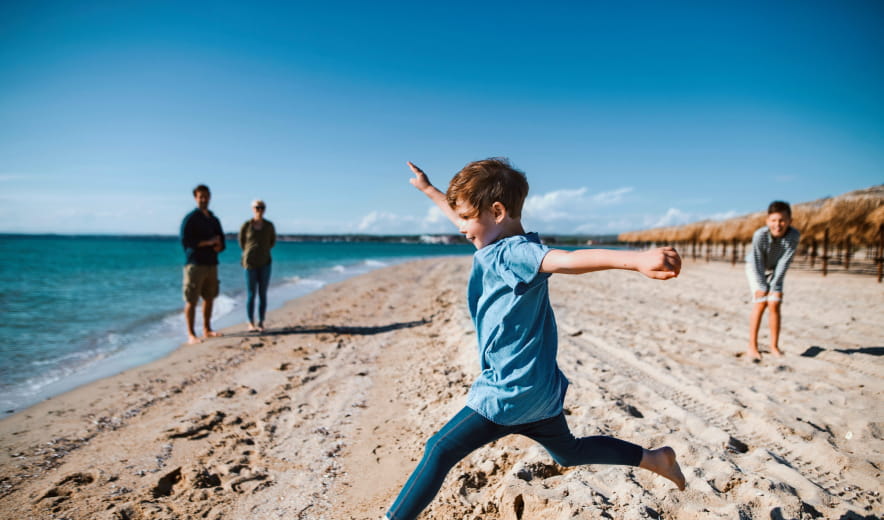
AIによるクリーンアップ機能で、不要な被写体や写り込み、気になる要素をシームレスに除去します。
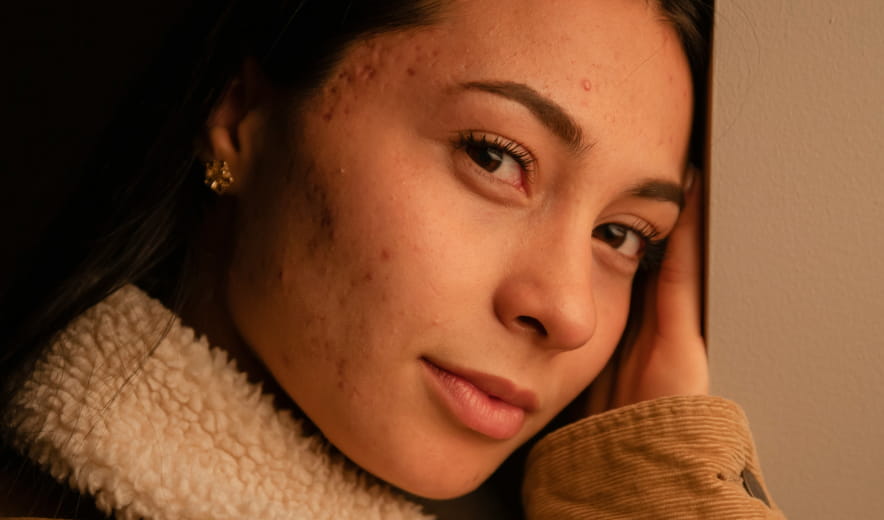
肌をなめらかに整え、トラブルを補正しながら、自然な質感を保ったクリーンでリアルなポートレートに仕上げます。
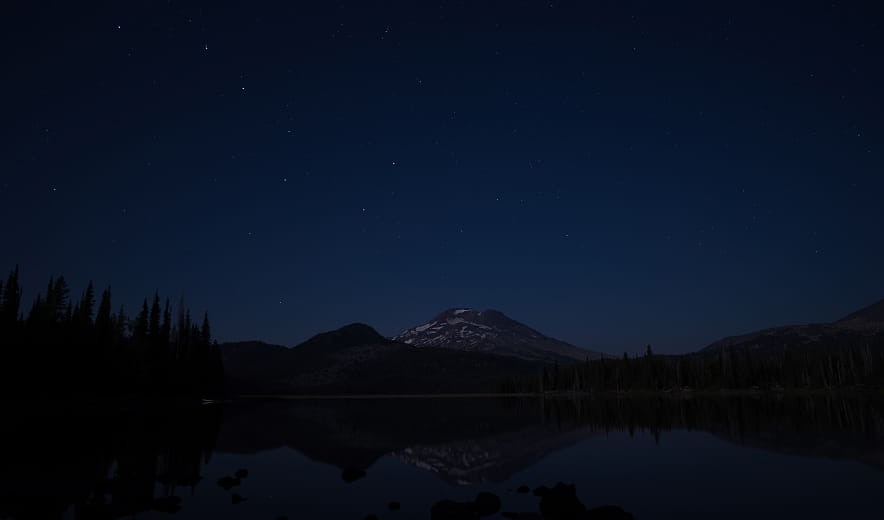
スライダーひとつで、色、コントラスト、ディテールを自動調整し、バランスの取れた洗練された仕上がりを実現します。
Macモデル
MacBook、MacBook Air、MacBook Pro、iMac、iMac Pro、Mac Pro、Mac mini, 2010年初期以降
プロセッサー
CPU Intel® Core™ i5 8 Gen 以上
OS バージョン
mac OS - 12.0 以降.
RAM
メモリ8 GB RAM以上(16GB以上のRAM推奨)
ディスクの空き容量
ハードウェアディスク10 GBの空き容量、SSD推奨
ディスプレイ
1280×768サイズ以上
ハードウェア
マウスまたは類似する入力デバイスを備えたWindowsベースのハードウェアPC
プロセッサー
CPU Intel® Core™ i5 8gen 以上、AMD Ryzen™ 5以上
OS バージョン
10 バージョン1909もしくはそれ以上(64-bit OSのみ)
RAM
メモリ8 GB RAM以上(16GB以上のRAM推奨)
ディスクの空き容量
ハードウェアディスク10 GBの空き容量、SSD推奨
ディスプレイ
1280×768サイズ以上
グラフィックス
OpenGL 3.3以降対応のグラフィックカード
